

The notification is constantly at 20. If I click the bell icon - it doesn't change. I think you should program it that once a user clicks on it and looks at the new notification that the counter will be set to 0 (and will not be shown of course for 0).
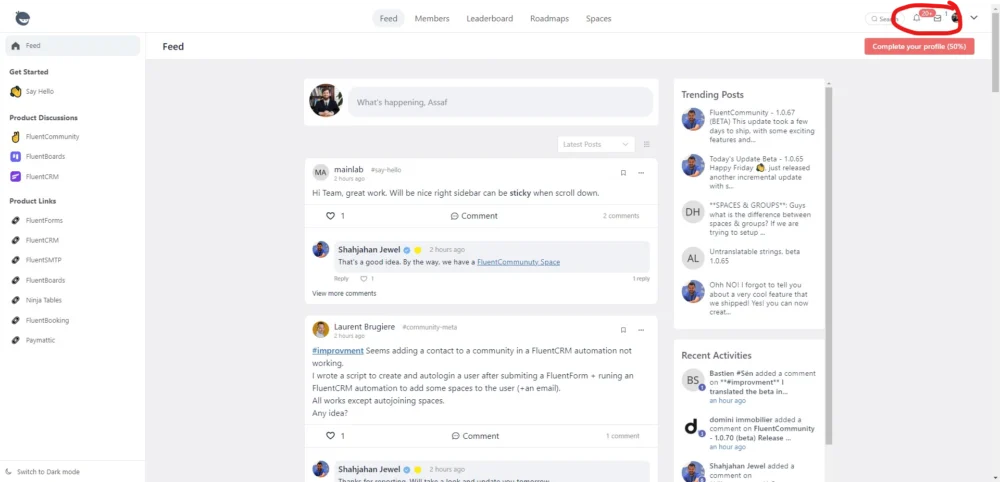

Assaf Manor you need to click in each new notification by going to View All and once you view all notifications or click the button: Mark All as Read (top right corner) the number wont show any 20+
Probably you have a lot notifications so you see the 20+ number.
Also a feature request was reported here to have the button Mark All as Read so you dont have to view each notification etc.

Mat, great that feature request is highly needed. Another thing. When I click on the notification bell there is a popup "window" with all the unread notifications. The only way to close it is to click on the bell icon. That's really bad UX. I want it to close anytime I just click outside of that "window".
I also get these annoying scroll-bars. (p.s. - I love it that you can just copy and paste a screenshot).
Assaf Manor, scroll bars are everywhere and I hate it but they appear sometimes in a new places so it is hard to track what was changed. When I see any horizontal scroll bar it give me a headache hahaha. But good that you have noticed and report it.

Assaf Manor, "I want it to close anytime I just click outside of that "window"." Yes that's how it should be. Every popup window and menu is currently behaving this way unfortunately
Assaf Manor, closing popup windows I have reported some time ago but without any improvements so maybe there are some reasons why we need to click the same place where we open them. So for me if a user click outside the popup window like: notifications, top dropdown icon etc it should be closed.

+1 🙏🏻