

Restricting Access to Theme Compatibility Pages
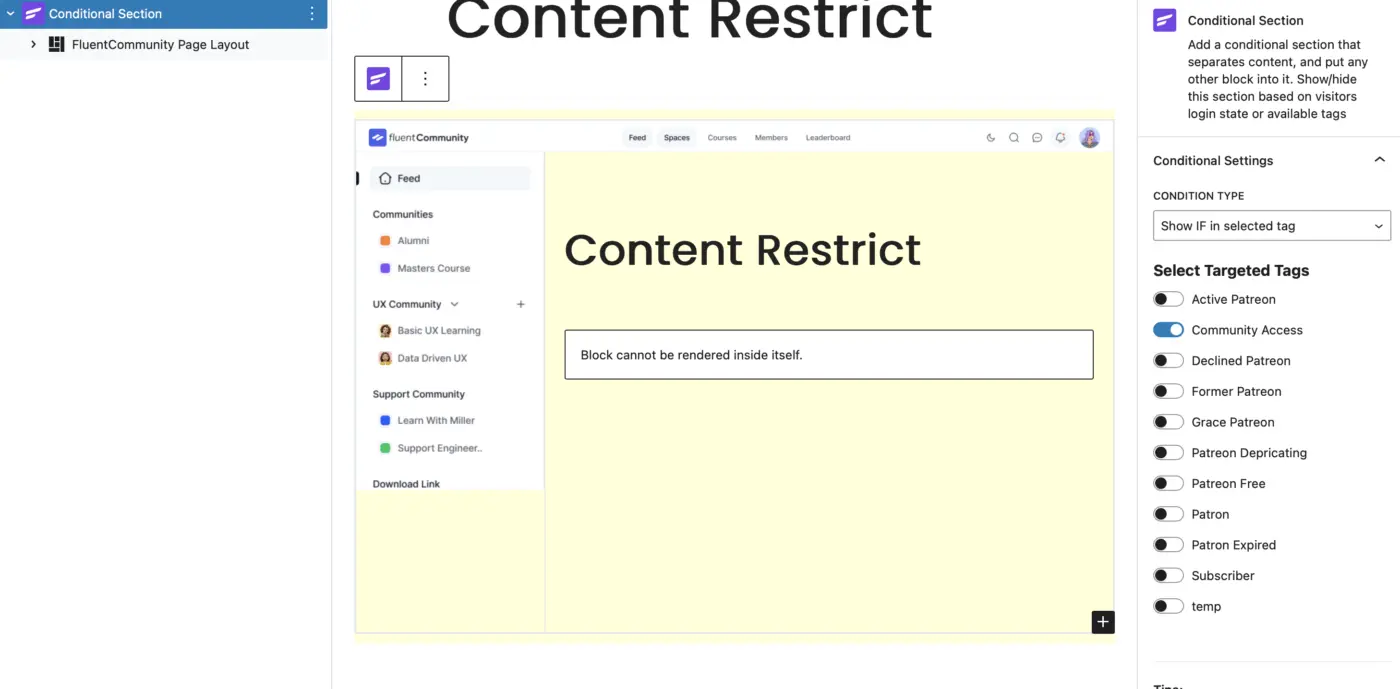
Thomas Oates helped me think this through so I wondered if anyone else would find this helpful. Out of the box all custom pages using the FC Block will be visible to all (if they manage to find the url that is!). However, If you are creating a monetised community, like I am, you are using FluentCRM, or something like it. FluentCRM has a block called 'Conditional Section'. If you put this on the page FIRST, and nest the FC Page Layout block within it, then you can limit who gets access to the page based on FluentCRM tags (which I use as part of the monetisation). This works, and I have included a screen shot of how a page might look in the editor. This page returns a blank screen if the person does not have the 'community access' tag, that I have created, attached to their username. You could, of course, add another 'conditional section' to the page for those who do not have access and give them the message 'To see this page, you need to create a paid account here...'. Of course, this would be missing the little padlock next to the link in the sidebar menu to tell a user it is locked... but I guess with CSS someone could add that.

If you're not using blocks, https://wordpress.org/plugins/wp-fusion-lite also provides the ability to lock pages based on FluentCRM tags.

Jonathan Gwyer useful to know that the lite version does that!