


Potential *Solution* for Embedding Forms in FCom Lessons
I have seen this as a recurring issue posted, so if someone else has already suggested it and I am just late to the party, my apologies, but wanted to share my workaround.
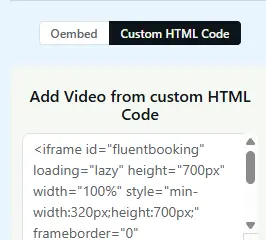
For both Fluent Booking and Fluent Forms, I have successfully embedded both in FCom lessons by using the Custom HTML Code option in the left sidebar on the lesson edit screen.
I used the landing page url for the form and the booking calendar page url for the booking.
It's not a perfect solution, as you have the form on top of the lesson and text has to be below, but it is working well enough for my needs and so I thought I'd pass it on in case it is helpful for anyone else!
PS - I am not a programmer, but I know just enough to get myself in trouble, so there may be a better way to do this...

This is an interesting solution!! I need to try it out too :) Thank you!