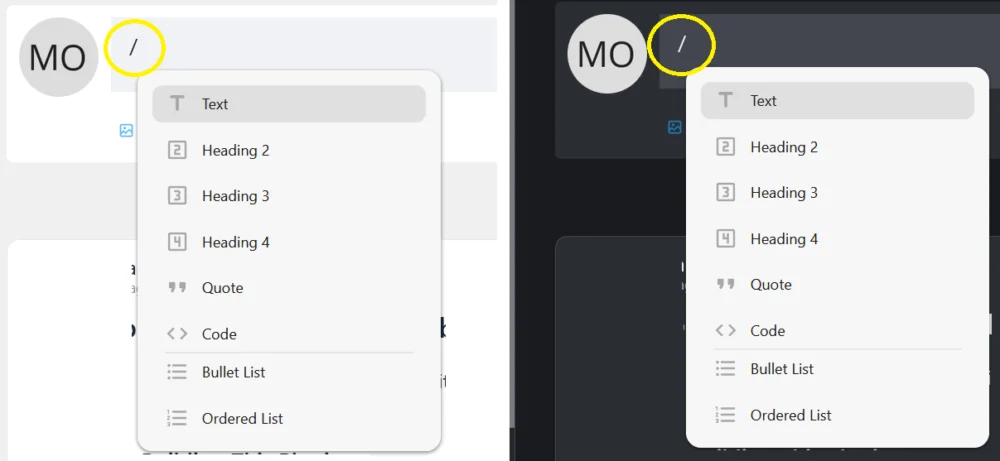
Please add (i) info icon (with a tooltip) to post/comments fields showing how to use advanced formatting. It could be just a short info ("For text formatting you can use Emoji and Slash Commands") or a longer text/list showing how to format text faster in case someone doesn`t want to use / Slash commands.
You are able to format the text:
- Bold, italic, strike-through
- Text size: Header, title, subtitle and text
    Activate H1 format (header): "#", then "blank line"
    Activate H2 format (title): "##", then "blank line"
    Activate H3 format (subtitle): "###", then "blank line"
    Display text in italics: "*Example*"
    Display text in bold: "**Example**"
    Display text in strikethrough: "~~example~~"
    Display text in code: "`Example`"
    Insert hyphen: "---"
- Numbered and unnumbered enumeration
    Hyphen + Space: Start an unnumbered enumeration
    1. + Space: Start a numbered enumeration
    # + Space: Set a title
- Section separator
    -- + Space: A section separator line is inserted
- Emojis
    WinKey + i
- Line and paragraph breaks