

Layout Bug: Right Sidebar Cut Off on Interface
Hi FluentCommunity 👋
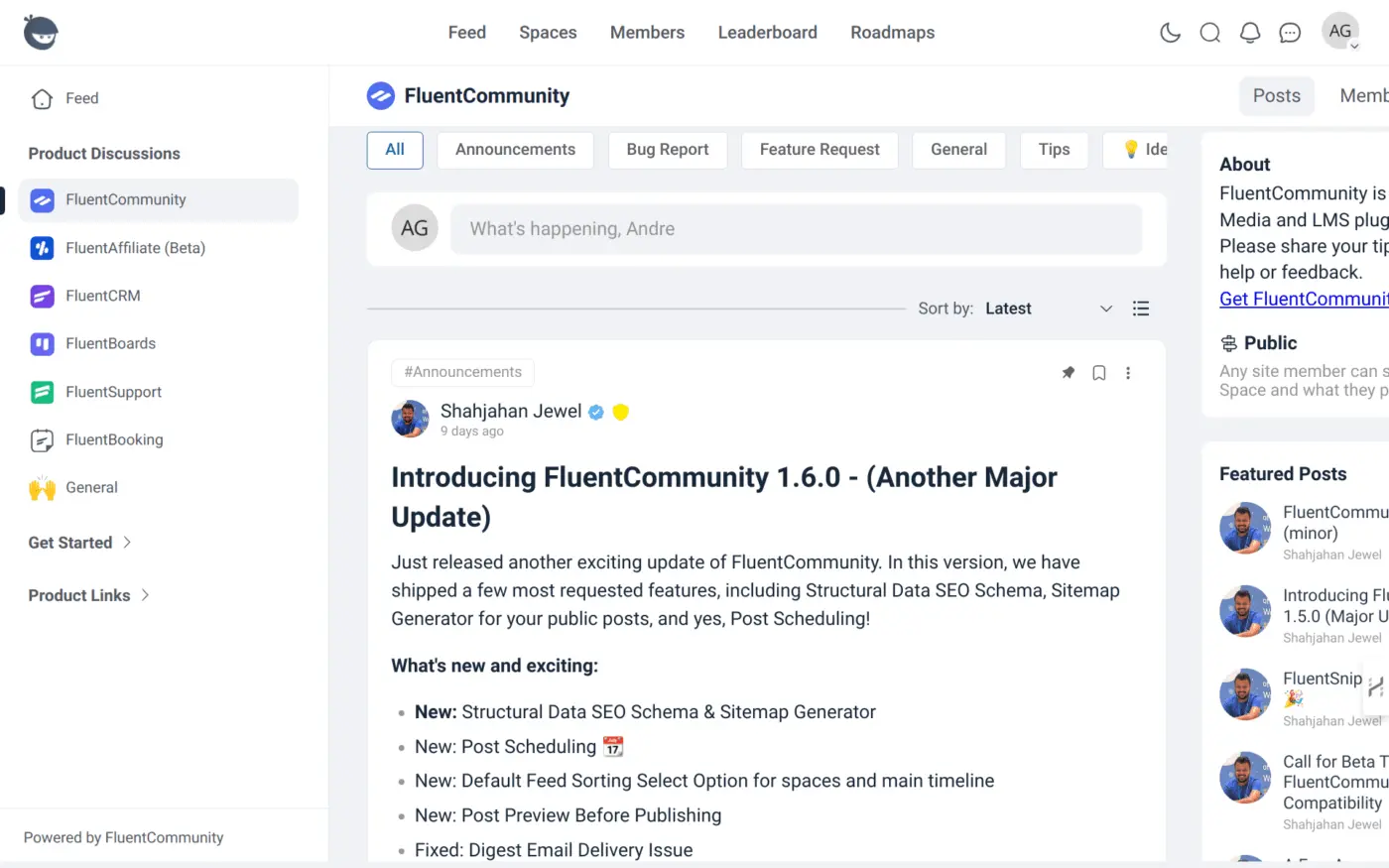
Since the latest update (1.6.0), I’ve noticed a layout issue — the right sidebar is being cut off, as shown in the screenshot below. It's not possible to fully view the "Featured Posts" or "About" sections.
I’ve tested this on different screen resolutions and browsers, and the issue still occurs. It seems to be related to column width or viewport handling.
Could someone confirm if this is a general bug or something on my end?
Thanks in advance for the support!

All good for me, most recent build of Chrome, try your keyboard - / + keys or
I would clear your cache/cookies / files and test
My screen below is of this community right now 05/22/2025 @ 20:15 PST - USA

What screen size are you using? Most probably it's a unconventional size of the browser window?

Shahjahan Jewel i'm using a acer chromebook plus 514
Shahjahan Jewel if i go to the fluentaffiliate page it show ok.... but the fluentcommunity it shows as i posted in the main post!!!! there is a lot of pages like that
Andre Gois I think I got the issue.
Shahjahan Jewel good :)

Shahjahan Jewel I have a similar problem when uploading documents, the input is partly unvisible, so is the cursor, what makes it difficult to add text
Natascha Vantuykom We are checking into it.

i have the same issue with documents
Ramsis Kasis lets hope they gonna fix it soon
Andre Gois they will 😉