

I rewrote FluentAuth & why you should use it
Some of you already use FluentAuth. Some of you haven't heard of it. So let me give you a quick intro.
FluentAuth is one of my personal open-source projects, same as FluentSMTP. I built it myself. Over the last few months, I sat down and rewrote the whole thing from scratch. A whole new admin and a new site.
Why FluentAuth? Because I still think login security is something WordPress core should give you and doesn't. Two-factor. Brute-force limits. A log of who signed in. That's basic stuff. Instead, you get a bloated security suite that slows your site down.
So I built the thing I wanted to use, and it's free.
What's in 3.0
- Passkeys: Sign in with Touch ID, Windows Hello, or a security key. No password at all.
- 2FA by role: Passkeys, authenticator apps, or email codes. You choose who needs what.
- Brute-force limits per IP and per account. Leaked passwords sprayed from many IPs get caught too.
- IP block and allow lists. Lock admin logins to your office or VPN if you want.
- Security checklist. Finds PHP in uploads, stray mu-plugins, backups in the web root, dormant admins. Tells you what to do about each.
- File monitoring for core, plugins, and themes against the official WordPress.org copies. Diff a file, restore a file.
- A "Been Hacked?" screen. Sign everyone out, revoke app passwords, reinstall clean packages, force password resets.
- Social login, Google One Tap, magic links, login page designer, redirects. All still there.
- A brand new admin. Dark mode too.
It's super lightweight
It doesn't intercept every request like other security plugins. It hooks into the login WordPress already has, adds a check before the password and one after, and that's it. Logs user-dedicated custom database tables.
No firewall by design. Your host or Cloudflare does that better.
Price: $0. Unlimited sites. Maybe a Pro someday, but nothing you see today will ever move behind a paywall.
Take a look here: https://fluentauth.com
Full Source Code: https://github.com/WPManageNinja/fluent-security
Using it, please write a review: https://wordpress.org/support/plugin/fluent-security/reviews/
Try it. Break it. Tell me what you'd change, or do you like this update?

Nice, been looking for a good solution that has passkeys! Thanks.

Shahjahan Jewel Thank you for the plugin, it works!...just updated to the latest (3.0.1) and noticed this on the security panel - https://prnt.sc/9tzIfTGSdAtV

Debo Ogunrinde Just update the FluentHub Plugin.
Shahjahan Jewel Ahh..Great and thanks...works...I had to click on the check update to see the new FluentHub!

Wow, I honestly can’t believe how lucky we are! 😱
This is such an incredible update - and for a free plugin too!!
Thank you so much

Awesome! I use it on every site. With all of the various apps giving us different login solutions - Wordpress, FluentAuth, FluentCommunity, redirect to custom login page, etc. - it would be very helpful to have a brief guide letting us know best practices for how to configure all of them.

Passkey i really love it 😍
why only show this on passkey? were is face id?
Zahidul Fitri it depends on your browser / OS / or security keys / password manager.
Shahjahan Jewel what is the best step to set passkeys. example: after login, were in the setup to add passkey. a bit confused to setup passkey on my phone or ipad

Passkeys you cant use for everyone if you are blocking access to /wp-admin/ Shahjahan Jewel make it work also on fluent community user profile on frontend. From profile everyone should be able to set up passkey and also authenticator app. For me it is now useless. And small cosmetic thing: new passkey login button has 3px border radius, give it 5px as other buttons on login form have. It looks wierd now.

Just wanted to say thank for this, been using FA for a few months and love it!

Great news! I moved all sites to FluentAuth several months ago from Kadence Security (Previously known as Solid Security and before that iThemes Security). I was a Liquidweb customer for ages (2001 - 2024), but I don't like what has happened to the company and how they are swallowing up premium plugins and raising prices (private equity behavior) without adding value. Thanks for this major update!
Jerad Hill I got several DMs about the missing features in FluentAuth and finally I could get some weekends to finish up everything. Let me know if you are missing anything.
Shahjahan Jewel can I get rid of the Kadence Security plugin now (and any other security plugins)? I’m always trying to use 100% FluentProducts whenever possible. I’m a big fan!
Teddy Skokos Jerad Hill can answer better. I never use Kadence security.
Teddy Skokos I got rid of it on all sites. I had it running on 72 sites, replaced with FluentAuth.
Jerad Hill thanks for the info

can't login anymore :)
✓ Your authenticator app is set up.
You will be asked for a code from it the next time you sign in.
and this comes everytime i want 2 access admin panel
Julian Brinke you should just go to your regular wp-login page (logout first if you are logged in) and then login and you will asked for the 2FA code from your app.
Shahjahan Jewel I need to get another video editor so I can ramp up video production and make some new videos. The other channels have been keeping me too busy.
Jerad Hill Please publish a video and share with this community also love to show-case in the site.
Shahjahan Jewel Will do. I have been able to accomplish some pretty neat setups with other Fluent plugins. My video editor is backed up 3-4 weeks with my video projects so I hope to get caught up soon.
Shahjahan Jewel works fine - too simple :)

I've used it for sometime now, and it's been of great use. However, I was having issues with bot users completing the registration form using @example.net(.org,.com) email addresses. Managed to stop that by adding the Simple Cloud flare Turnstile plugin, after the update, I've had to turn it off. It seems there's something going wrong when 2fa is switched on (for Admin, Shop Managers) and Turnstile is being used (all forms by default).
Has anyone else come across this issue? Any advice as to how I may fix this?
Lee Gaughan Brown I think you can disable the captcha as you don't need it. FluentAuth has built-in rate limiting and just use a 2FA for your high level roles.
Shahjahan Jewel Thanks for quick response. Do you mean login attempts? If so, yes that is set. But I've been using this for quite sometime with the included Login/Registration form, but over the last 3 months I've had 15k+ bot users register on the shop. Hence my trying a new route to block them with the SCT plugin. If the new version will help stop that, I'm happy to turn off the captcha plugin and just use the captcha in the FluentForms forms used elsewhere in the site.
Shahjahan Jewel I found the issue with the bots, they were exploiting the 'Allow customers to create an account on "My account page" form, which has no captcha set. One of the reasons I installed the SCT plugin. Do you know if there's a bug with FluentAuth when SCT is activated, as when it is users cannot get the passkey or 2fa to work. It could just be my choice of settings, but I don't know either way.

Smart - will check out the update 👍

Both FluentSMTP and Auth is part of my default stack. I install it on every site now. So, Thank you so much for these amazing plugins.
Shahjahan Jewel just tested and looks great, but appears to be some css/layout issues when used in FlunetHub.
I usually also set a number define rules in my wp-config for extra security, is there a way for FluentAuth to detect those?
e.g.
define( 'DISALLOW_APPLICATION_PASSWORDS', true );
David Churchill Just update the fluenthub to latest version and the UI issue will be solved. You can use the define wp config and it will not conflict. You can also disable application password from FluentAuth plugin and that does the same job.
Shahjahan Jewel aha! I missed the FluentHub update - all looks beautiful now 🙏

YOU'RE THE BEST Shahjahan Jewel!

Thanks for the update... I can't wait to implement the new features

This makes my day in many ways. 😘

So awesome that you did this...thanks a lot :D

The bypassing of passwords in particular is a blessing. Thank you for this wonderful work. It seems to be an excellent product !

Awesome! Unfortunately, it doesn't work for me. I installed 3.0.1 on one site, went through the setup process, and registered a passkey in my user profile. It worked once but now I cannot log in anymore.
I tested regular Safari, Safari Private Browsing, Chrome, and even WordPress access through SiteGround. The passkey/Touch ID authentication fails and then repeatedly prompts me again, putting me into a loop.
I also tried logging in with email/password and using a recovery code. I tried two different recovery codes, but after entering either one, I was prompted for Touch ID/passkey again and ended up in the same loop. The email-code fallback wasn't offered either.
I've disabled the plugin through SiteGround for now so I can access the site again, but wanted to report this.
I also love the login email notifications, but it'll be great to be able to exclude the own IP from the notifications. I did get one for every login attempt - no matter if successful or not - saying I logged in via two_factor___passkey.
Myriam Janssen Not sure what happened to your case but it should work out of the box. Could not recreate the issue on our end. I am using the new passkey for multiple sites.
Shahjahan Jewel Thanks for checking. I'll try it on a different site later today.
Myriam Janssen, please do let me know the result. Most probably, it's a conflict with Siteground security. Can you check if the Siteground Security plugin is installed or not?
Shahjahan Jewel Will do. Yes, Siteground's Security Optimizer is installed.
Myriam Janssen I think that's the issue.
Shahjahan Jewel Ok, I'll disable that and check again. Will let you know.
Shahjahan Jewel I overlooked that I had already enabled 2FA via Siteground. Disabled that and now it's working! Thank you for another great plugin!!

Myriam Janssen if you're using the ASE plugin, turn off anything related to the login section.

Already checked it out today. Loving the changes 🎉 Especially the new dashboard.

I am using fail2ban. Should I disable it or FluentAuth can work with it?
Gabor Torda if you use FluentAuth, you don’t need fail2ban

In combination with ASE pro and change the login URL it does not work to enable fingerprint login. It is not possible to get in de admin area...
Mathijs van der Beek I really don’t see any point to change the login url. It really does not improve any security of your site and that’s why I did not built that feature and I never will.
Mathijs van der Beek correct. Disable anything in ASE's login section. There's massive interference.
Interesting statement... and i trust you in this. Just wondering if changing the login URL takes off a little but of pressure for bots that are trying to find the wp-admin / wp-login

So very grateful for all that you do and are, Shahjahan Jewel I used it to sort some things out today and it was easy and easy to use. 🙂✨

That sounds great! Thanks Shahjahan Jewel for all your valuable contributions.
One question: I use WP Security Ninja (with Firewall) on all my sites. Does it make sense to still use FAuth? Could it create conflicts if I use both? Thanks

I've been using the free version of WordFence for years. I'm just curious, as WordFence is really good at its file scanner, I'm all for swapping out plugins as that's the biggest thing. Oh, and doing auto blocks. But again, I'd love to switch it out for a lighterweight plug-in if this does the file audit well. WordFence is the only other plugin that I've ever seen that really finds files that have been compromised. So I'm curious on that.

Love the new look and speed of the FluentAuth site! I can see you're using Astro for the frontend—just curious as a fellow dev, are you still using WordPress as a headless CMS for the backend, or was this a complete migration away from WP for the main site?
Try it.. break it as you say. Removed the login url so it is the normal wp-login / wp-admin. Then activated the plugin again hoping i could use the fingerprint, but i got totally locked in the screen. An authenticator app is not enabled for this account. Pressing continue does not work. I am locked out of the admin area. Have to remove the plugin to use my site again. Love the crm plugin and am a fan of the work of wpmanageNinja. Always in to change my current plugins for one of you...
Mathijs van der Beek I had this issue, it was due to having Simple Cloudflare Turnstile plugin enabled. Once I turned that off (and used the FluentForms integrated Turnstile version instead), passkey and 2fa worked as expected.
Lee Gaughan Brown Thanks. Then it might be a plugin conflict. I am not using the mentioned ones, but i can have a look at other plugins.
Mathijs van der Beek are you using any other security plugin?
Shahjahan Jewel I have some server side protection. I use cloudflare (not the plugins). I will investigate and come back with my findings.
Mathijs van der Beek thanks. If you find any issues and what breaks it, I would love to fix them.
Shahjahan Jewel I just remembered the fist time i did get a screen to choose al settings etc. Then it broke because of the login URL. I tried to remove all data from the plugin in the database, but i guess i missed some tables... I think a clean start will solve the problem.
Shahjahan Jewel Removed the plugin settings from the database and then i could start over again. Now it works :) Maybe an idea if you remove the plugin you can remove all the data?
Shahjahan Jewel I did not activated 2FA only activate fingerprint. It kept asking to activate 2FA, but i tried to setup fingerprint only and nothing else. Then the site breaks again. My idea was ... No username and password, but that seems to break it.

I’d definitely pay for a pro if it included the ability to build the registration form properly and add your own consent boxes and stuff rather than needing to use FluentForms

hey Shahjahan Jewel, this is exactly what is missing and I was just discussing in another post on user onboarding. How does this integrate with FluentCart? Right now when signing up for a paid membership to FluentCommunity using FluentCart there is no way to set a username/password in the sales flow - you have to buy, then go to your profile, drill down and set a password manually, which is a really cumbersome onboarding flow. How does FluentAuth integrate with FluentCart to set up a user during the sales flow?
Erik Boles So when someone buys a product, then FluentCart automatically creates a WordPress account and sends an email about the purchase and ask to set a password. You can customize those emails, login / signup screen with FluentAuth. It's the most frictionless way.
As you are selling something, the main goal is to make it frictionless; if you ask them to login or create an account before purchase that's a friction.
Shahjahan Jewel I disagree. It's very friction heavy. Almost every modern platform has you establish username and password during the sales flow, that's frictionless, having to check my email, find the email, make sure it's not in spam, click a link and go set a password is the antithesis if frictionless, which is why nobody does it that way. I appreciate your work on FluentAuth, it's a great addition, but for now FluentCart just isn't ready for production use, so I have to find another cart solution sadly.
Erik Boles I actually agree (and disagree) with both of you. Shahjahan Jewel is correct that it creates friction before the sale and you are correct that it creates friction after the sale. So there is friction, it's just a timing question of when that friction occurs. Some people prefer to create an account before completing the sale and other people prefer to create it afterwards. So I think the best solution is to make it an option for the customer to be able to create an account before completing the purchase if they want to.
Teddy Skokos I don't agree that it creates friction before the sale, it's a known requirement. That's like saying "Wait, I need to create an account to use facebook?" Of course you do, it's a known thing. And typing a username in one box, a password in another—two additional fields to fill out during checout—is way less cumbersome than getting an email, having to find the email, click it, reset a password, etc. Big platforms spend millions on user psychology and have some of the best UX devs in the world, and they all do it this way for a reason. I do agree it should be a flag you can enable/disable so admins could implement it either way.
Erik Boles I’m saying that I think it should be a choice that the customer is given. Simply add a checkbox on the checkout page to allow customers to create an account at checkout if they want to. Doesn’t that solve the problem and end the debate?
Teddy Skokos I don't think that solves it. I've spent 30+ years in tech. One thing I've learned is that you can never assume the end user has any clue what they're doing. If you give the end user the option to create an account you'll likely end up with a ton of support requests akin to "oh, I didn't know I needed to do that." At first blush it presents as "give the end user some credit" and I would agree with that if there wasn't a mountain of evidence around that generally not working. (have a look at the TakesFromTechSupport subreddit on reddit, it will kinda blow your mind).

I'm currently using FluentAuth on all of my sites with FluentCommunity Pro, where I have "Members". I'm wondering if I can also use this on sites I build and maintain for others that don't have a "Community Membership" on them. They only have me and 1-3 more admins of the sites, so can I utilize FluentAuth to hide/bypass the default wp_login form to secure all logins for all admins?
Shahjahan Jewel I think there could be better integration with FluentCommunity too. I use the default FC login and a custom registration (FluentForms). Login looks great, as does registration as that's how I built the page. But with FA forms off, lost password is the horrible default WP one. If shortcode forms are turned on and Login page design off, it's right (blue button), but not as I expected - I didn't add any shortcodes but it has one appended to the community url! If I turn shortcodes off and Login page design on, FA overrides FC and the url changes to the wp-login default and I get the FA form (black button) and the Login/Register/Lost Password links are all then the FA forms and not the FC ones. Sound confusing? That's because it is. I'm sure you wouldn't want it to be. I understand things are happening in a relatively logical way. But perhaps there's a better way to make it clear if a user has both FC and FA installed, which would be the better path - Is FC installed? - use FC forms OR use FA forms, if not here's your form options. Finally, because I have FA's forms and shortcodes toggled off, and using FC's only, if a user enters wp-login.php (for whatever reason, it happens!), they get the default WordPress login, register and lost password pages/forms, which no one wants after we have spent time prettying up all our user forms etc. FA could do with an option to change or block this url.
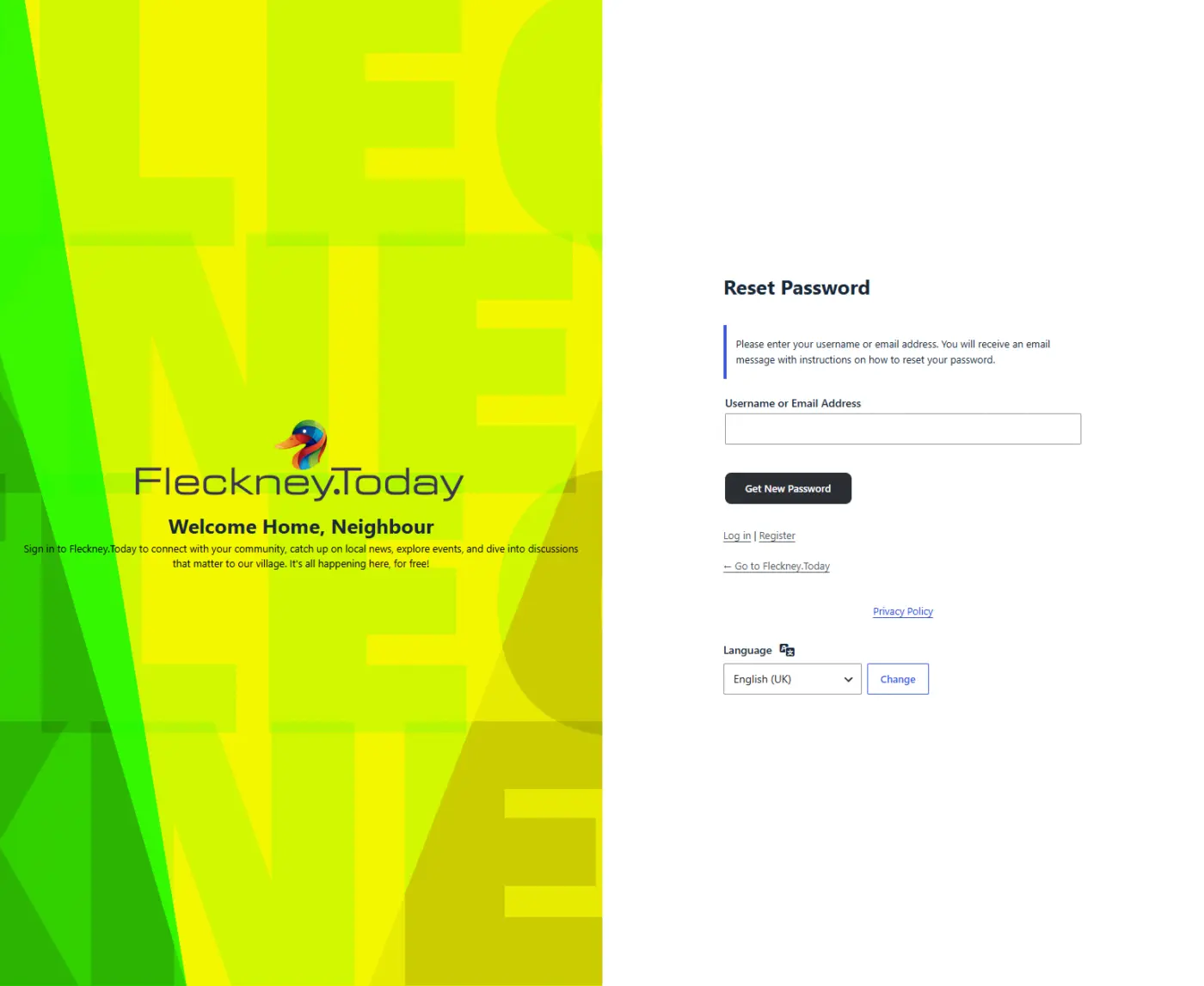
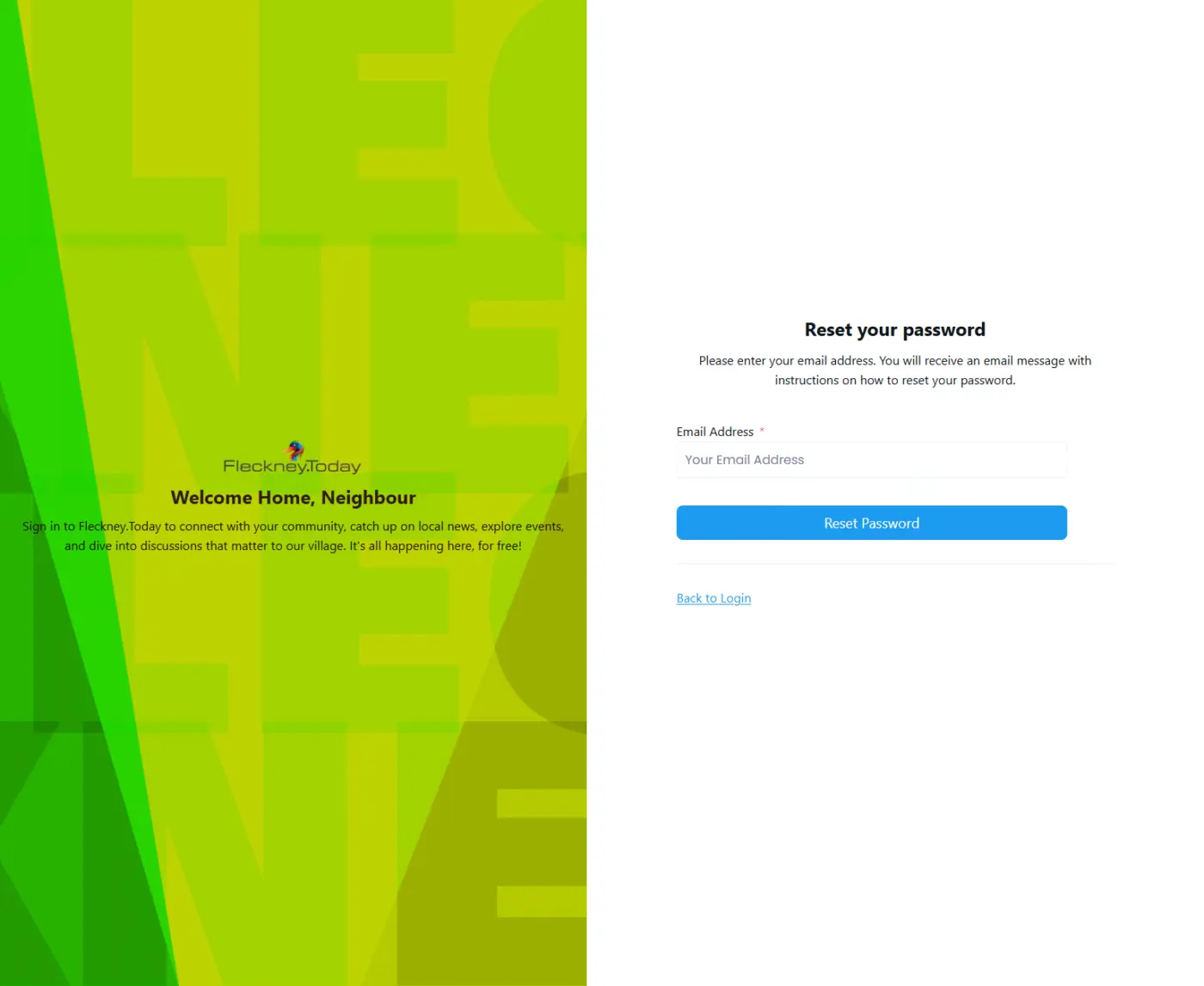
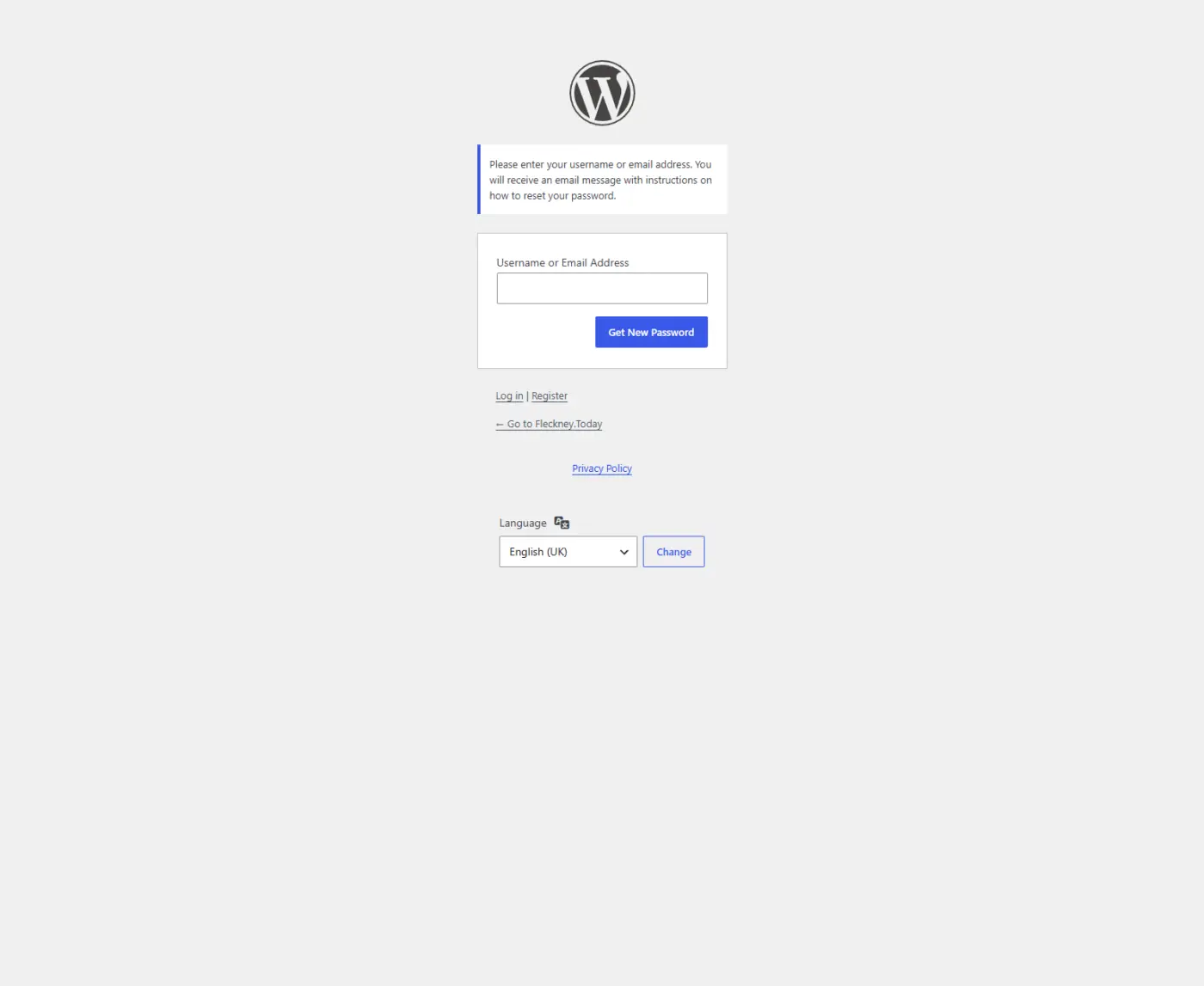
Lee GB This is really good to know. I didn't know you got the default wp-reset page if you weren't using FCAuth.
Lee GB I agree. Great explanation!
Erik Boles Neither did I, but I spent last night migrating the community site over to a better server (xCloud), and had a few issues. Stopped at 75% like four times, frustrating much! Anyway, had to deactivate ALL plugins, and delete the mu-plugins, to get it done. So then had to re-activate one by one to ensure no critical errors. It's then I had to get into all the login stuff as I also had to switch up email addresses and re-setup FluentSMTP etc, that's when I noticed the discrepancies with the forms.
I like to see these things as educational and challenges rather than problems, keeps me sane (some what🤪)
Teddy Skokos Thanks, I almost confused myself so much I got lost in the explanation, needed to take a tea break and actually just read through what I was writing 😆
Lee GB I understand 😂. It is a confusing topic.

Lee GB I tackled the same problem just this past week. I asked Claude to make me a snippet that modifies the ugly WP login/password reset form. It replaces the WP logo with my site's logo and changes the CSS (background, font, etc.) so that it all looks like my branding rather than the ugly WP form. The snippet alters password reset emails, etc., too. I'd offer it to you, but I've not tested it thoroughly, and I'm not sure it will play nicely with FluentAuth. I thought I'd mention as an option to you. Whether you choose to code it on your own or ask Claude or some other AI to do it for you, it's possible to change the look of those ugly forms.

Shahjahan Jewel, thanks for this great plugin. I started using it yesterday; everything works well, but I'm having trouble getting password reset emails to link to my custom reset page instead of the default wp-login.php?action=rp screen.
My Setup:
-
Custom login page: mysite.com/login
-
Custom register page: mysite.com/register
-
Custom reset page: mysite.com/password-reset
-
The reset page contains only the [fluent_auth_reset_password] shortcode, is published, and renders correctly when I visit it directly while logged out.
-
Settings > Login & Signup Forms > "Shortcode forms" is turned ON.
When I trigger a password reset (either via "Lost your password?" on the login form, or by sending a reset link from FluentAuth > Users), the email I receive still links to the default /wp-login.php?action=rp&key=...&login=... URL instead of my mysite.com/password-reset page.

Great update! Would you consider supporting email OTP login in the near future?
Peng Xie We have that from Version 1.0
Shahjahan Jewel Do you mean Magic Link, or did I look in the wrong place? 😂 I haven’t found this feature; I only see Magic Link.
Peng Xie Magic link, yes. Also we have 2FA with email.
Shahjahan Jewel I also want users to avoid having to enter a password. Email OTP is better than a magic link for users of an iOS PWA because magic links always open in the browser. It’s better to enter a six-digit code than click a link.

Love it!

Thank you so much for everything, Shahjahan Jewel! 🙌
Unfortunately, I'm unable to access my admin now. I'm trying to log in through the Magic Login button in xCloud, and I've tried multiple times, but I haven't received any email for a 2FA code or anything. Could you please guide me what must've went wrong? Or should I raise a support ticket? 🥺 TIA! 💚🙏

Hi
Thanks Jewel for the amazing work !
So we have a problem after we updated many sites to 3.0.0
the 2FA codes were being received correctly before, without FluentSMTP. The sites were simply using the standard WordPress email function on Hostinger Cloud hosting.
However, since version 3.0.1, 2FA codes are no longer being received on those sites.
This is an issue for us because we manage many client websites, and clients can no longer log in through the standard login form. At the moment, we have to access the hosting account and manually disable 2FA before they can log in again.
Since everything was working correctly before version 3.0.1, there seems to be a regression or an issue introduced in this version.
Nicolas D I release 3.0.2 with some fixes so you can take a look by updating. The email should still work as it’s just use WP_mail function. Check the fluent smtp logs and see if email was being sent or not.
Thank you, it seems version 3.0.3 fixed the issue.
We don’t use Fluent SMTP on those sites. Everything was working fine before version 3.0.0, and since updating to 3.0.3, it’s working properly again — we’re now receiving the 2FA codes.
Thanks!

Shahjahan Jewel I like the idea of your FluentAuth. If it does not conflict with WordFence (free and premium) that would be great. Since some of FluentAuth features duplicate WordFence features, can you please provide some guidance for concurrent use setup? Thanks.

Hello Shahjahan Jewel,
Thanks for FluentAuth. We tested 3.0.2 on a staging copy of a WooCommerce site before adopting it. Good to see email_verified checked on Google and GitHub addresses resolved through /user/emails — that check is missing from a lot of social login code. Three things came up.
-
Inverted condition in the signup path. In AuthService, lines 54-58, the provider's username is adopted only when username_exists() returns true, and skipped when the name is free. registerNewUser() then rejects the duplicate, so signup fails with "Could not register you" exactly when the name collides — while an available username is never used and the login falls back to the email address. Reproduced both directions. In our sample, around 1% of Google local parts collided with an existing username, so it is not a rare path. Looks like a one-character fix.
-
Identity is keyed on email, not the provider's account ID. Matching on email is why existing users were picked up with no migration, which is a real strength. The edge cases are the cost: an account whose stored email is empty gets a brand new account instead of reconnecting, stranding its history, and the same happens to anyone who changes their Google address. Storing the provider's subject ID at first login and matching on that before falling back to email would close both, and would give stores a migration path from plugins that already keep such a mapping.
-
WooCommerce signups bypass wc_create_new_customer(). Accounts are created with wp_insert_user(), so woocommerce_created_customer never fires. The role still comes out right, so nothing looks wrong — but anything listening for that action is skipped. In our case an email verification plugin leaves the new customer unverified even though the provider had just proven the address. Firing the action, or routing through wc_create_new_customer() when WooCommerce is active, would fix it. Since you already track internally that the address was proven by the IdP, exposing that as a filter would let verification plugins skip their own round trip.
The 2FA and passkey side tested well and we are adopting it either way. Points 1 and 3 are what is holding back the social login move, and we are glad to re-test changes on staging.
Thanks again,
I know I told you previously, Shahjahan Jewel, but I have to say it again:
The more I install and configure FluentAuth, the more I love it. It’s the perfect security-hardening plugin I was missing!

Hi Shahjahan Jewel ,
When enabling social login, is there a specific reason you chose to design FluentAuth to use the user’s email address as their username?
Using an email address as a username feels inappropriate, especially from a usability and privacy perspective. It would be more user‑friendly to allow individuals to choose their own username, or at least use their Google display name instead of their full email address.
Is there anything I might be overlooking that makes this approach difficult or not feasible to implement?
Thank you 😚