

🧩 Fluent FeedBox Pro — Anonymous Feed Creator for FluentCommunity
Fluent Anonymous FeedBox Pro empowers your FluentCommunity spaces with a smooth, anonymous posting experience.
It lets members share stories, confessions, and feedback safely while giving admins full moderation control.
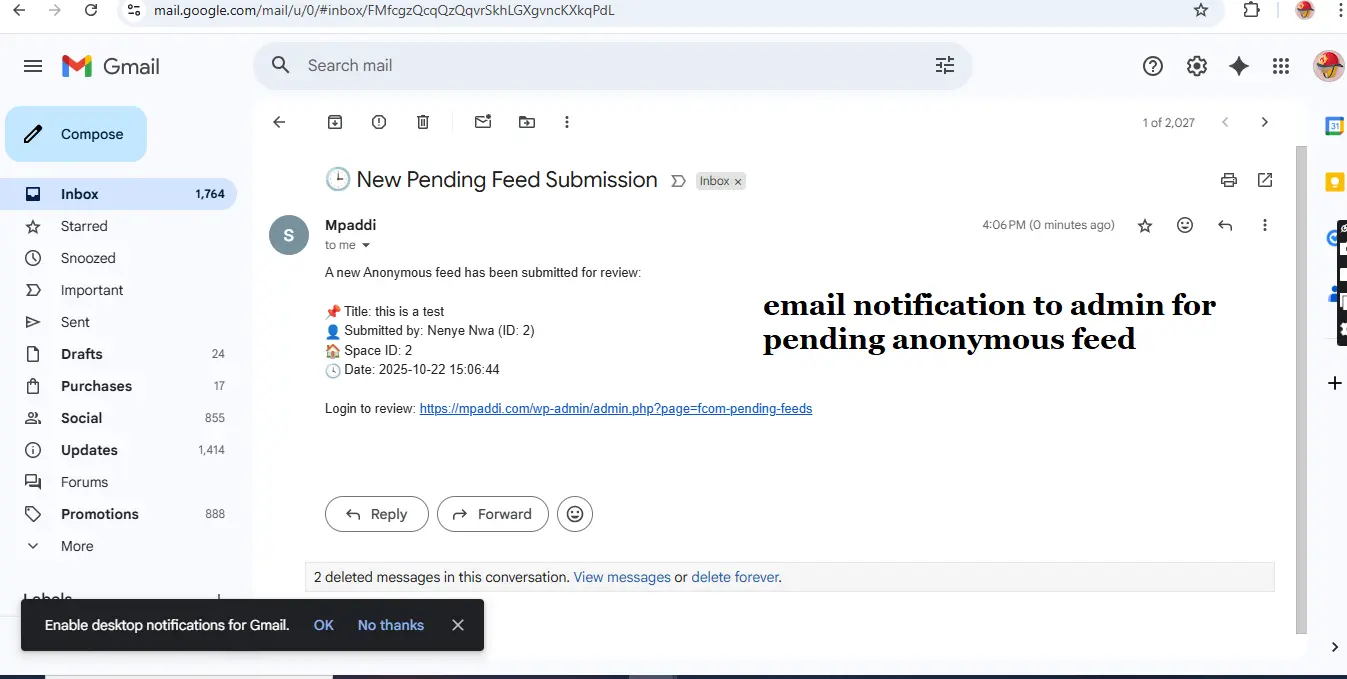
Every post passes through a pending review system, and admins receive instant email notifications for new submissions.
It’s perfect for private communities, schools, organizations, or any platform where people need a voice — safely.
✨ Key Features
📝 Anonymous Posting
Allow members to post anonymously using a designated “Primary User” identity.
⏳ Pending Review Queue
Every post goes into a moderation queue for approval before being published.
⚙️ Customizable Settings
Define your default space ID, anonymous user ID, and toggle anonymity features on or off.
📩 Email Notifications
Send instant email alerts to administrators whenever a new post is submitted.
👨💻 Admin Moderation Panel
Approve, reject, or delete pending feeds directly from the WordPress dashboard.
💬 Front-End Integration
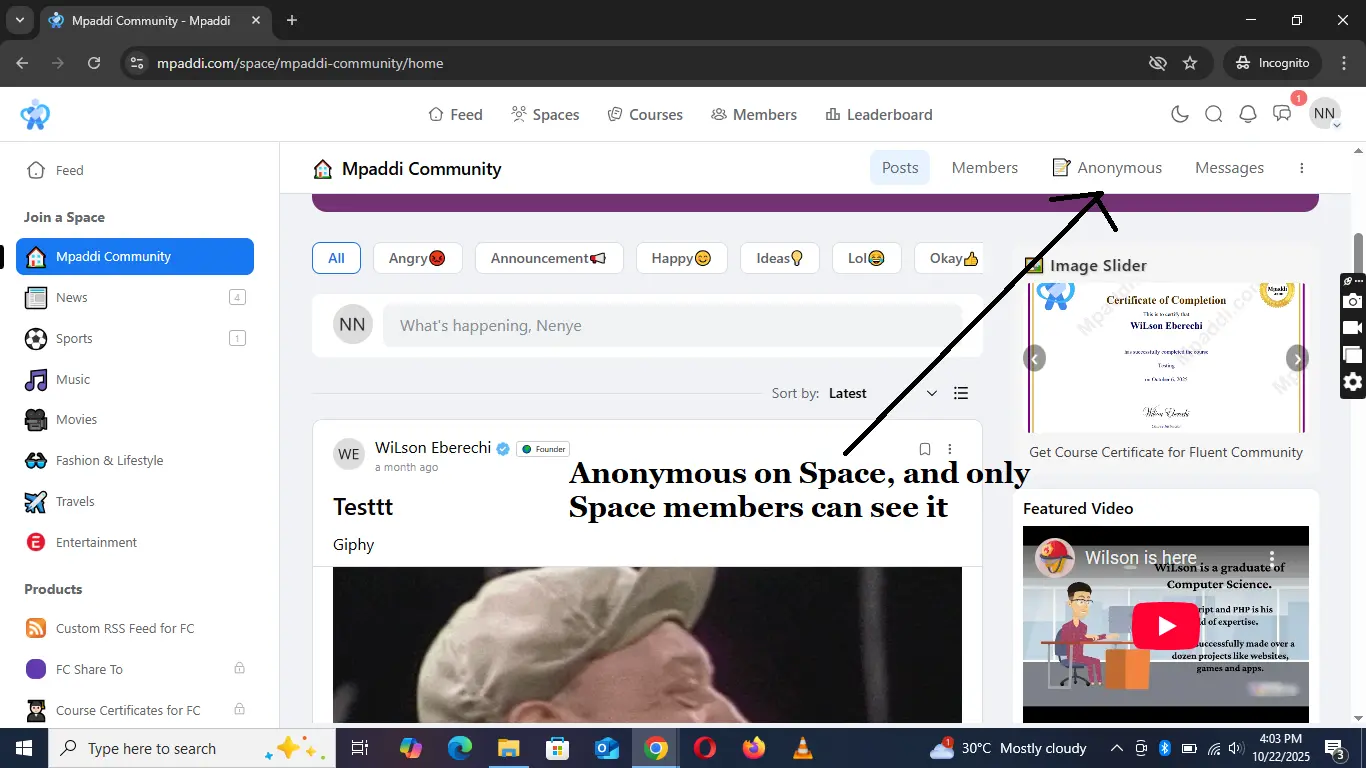
Automatically adds an “📝 Anonymous” button in FluentCommunity space headers.
🧩 Auto-Generated Feed Form
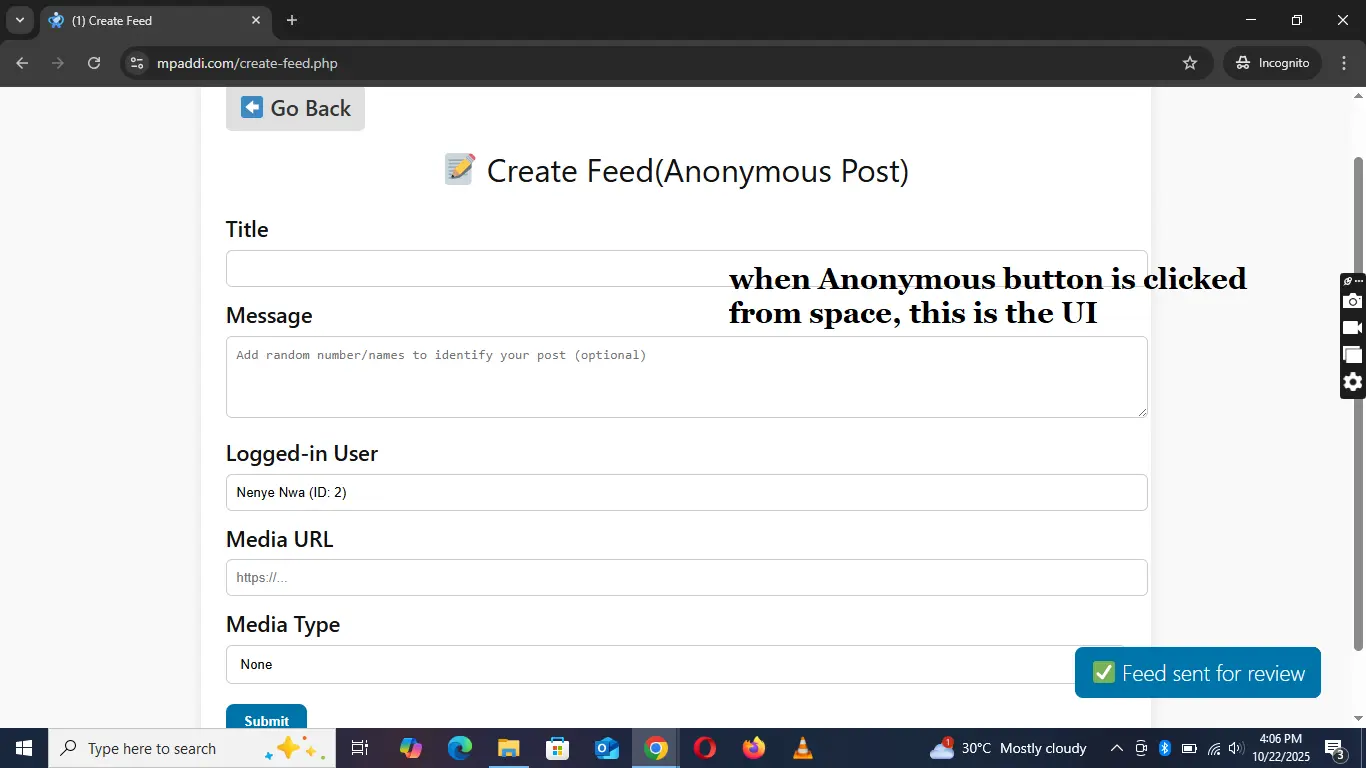
The plugin automatically creates a clean create-feed.php submission form for your site.
🧠 Smart Role Check
The anonymous button only appears for members of the current FluentCommunity space.
📚 Built-in Documentation Page
Access detailed setup and usage instructions inside your WordPress admin area.
🔔 Activity Tracking (Optional)
Track which user originally submitted each anonymous post for moderation clarity.
💎 Benefits
🎭 Safe Expression
Let users share their voices freely without public exposure — perfect for feedback or confessions.
🧠 Complete Control
Admins review every submission, ensuring nothing inappropriate goes public.
⚙️ Quick Setup
Activate the plugin, set your space and user IDs, and it’s ready to use instantly.
📩 Stay Informed
Admins never miss a post — automatic email alerts for every new submission.
🌐 Seamless Integration
Built specifically for FluentCommunity; no shortcodes or external setup needed.
🔐 Privacy with Accountability
Anonymous to the public, yet traceable by admins for responsible moderation.
🚀 Example Workflow
-
Admin Setup
- Go to FeedBox Settings in your dashboard.
- Set your Primary (Anonymous) User ID and Default Space ID.
- Enable anonymous posting.
-
User Submission
- Members in a FluentCommunity space see an “📝 Anonymous” button.
- They submit a post through the modal form.
- The post is stored as “Pending.”
-
Admin Moderation
- Admin reviews pending posts in the FeedBox moderation area.
- Approves or deletes submissions.
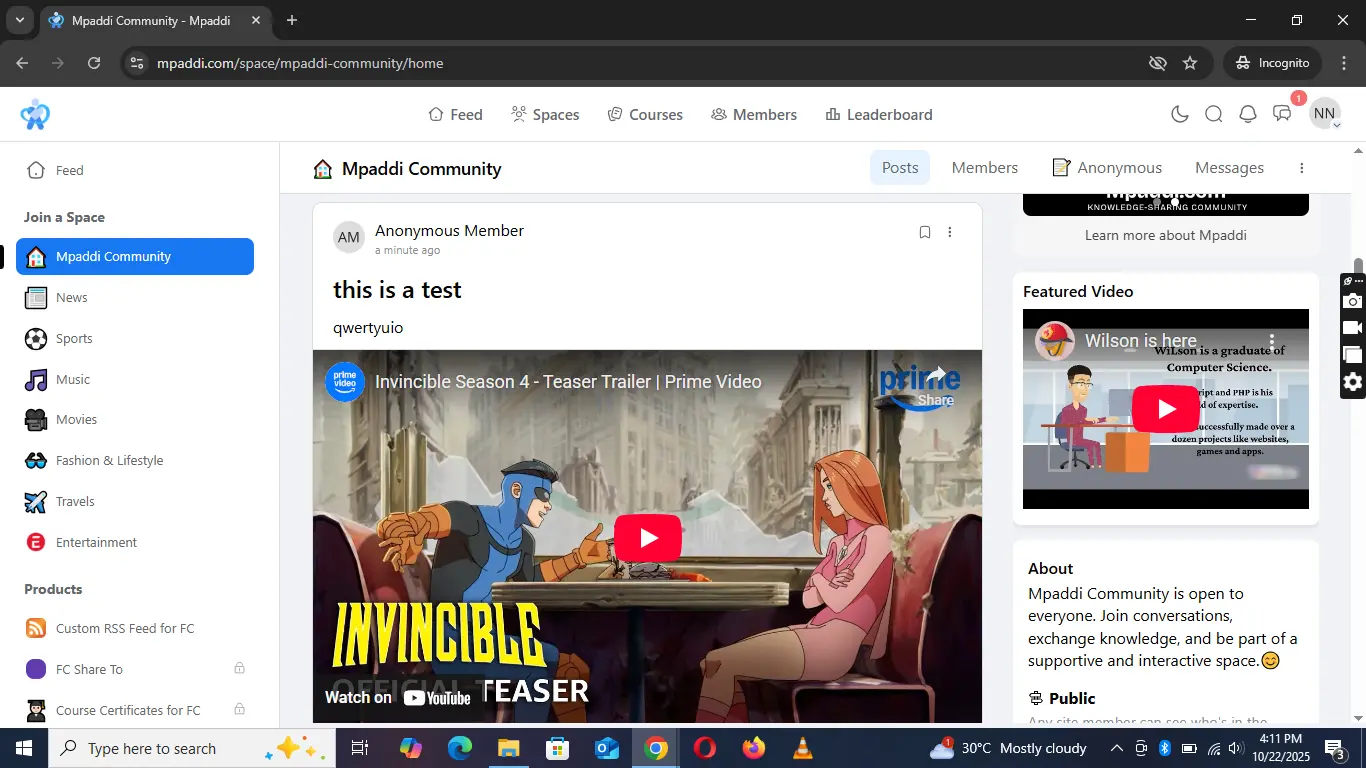
- Approved posts automatically appear in the corresponding space feed.
💬 Ideal Use Cases
- Student confession boards
- Workplace suggestion boxes
- Support communities
- Private clubs and organizations
- Feedback or idea walls
- Health confession groups
DOWNLOAD Fluent Anonymous FeedBox
For Support visit Mpaddi

WiLson Eberechi Do we purchase the "Fluent Anonymous FeedBox Pro 3" option?

Wendy Shoef they are all the same, I just numbered them for any support purposes I will render in future

Hello this sounds very interesting. Do you think it can be used to do something like this?
https://community.wpmanageninja.com/portal/space/community-meta/post/moderation-plugin
Prosper I read through the post on the link you shared, but I don't understand what you mean
WiLson Eberechi I would like that the post we receive must be read in anonymous mode within a closed group only by a small amount of moderators that should vote for its publication. So the idea is to create a private space, publish the incoming post there, let the mods up vote, and then move that post to the public space
Prosper I'm trying to imagine or picture what you mean but I can't.
This anonymous plugin lets members of a space create anonymous post which go to admin(s) for approval or decline.
You can set more admins to be approving or declining them and they also get email notification

Interesting!

Hi! Quick question. Can the anonymous feature be used for just one discussion (instead of regular posts), or does it apply across the whole community (next to Posts and Members) once the plugin is installed? I'd like to have one discussion where people can only post anonymously (wall of complaint of some sort :p)
Nice job!
Anne-Sophie W could you explain your comment properly please, I'm trying to understand you.
The posts made by anonymous will display in an anonymous member account only.
When this addon is installed, it create a user named anonymous member automatically, if user named Kelly made a post, the post would display on feeds under the anonymous member that was created instead of Kelly.
You'll select the space you want the post to appear, that space is the only space post from anonymous member will display.
WiLson Eberechi Sure. Once your plug-in installed, does the anonymous section appear everywhere across the community between Members and Messages (cf photo 1) or is it possible to have the Anonymous option only in one discussion?
Anne-Sophie W the anonymous button appears inside all space, see photo 1, but the anonymous posts only show in one space, a space you selected, the anonymous button showing inside all space does not mean anyone who click the anonymous button and make an anonymous post will show on all space, the anonymous post will only show on one space you chose. Under an anonymous member posts, all posts shows on the anonymous member user. You can see my site mpaddi.com to see an anonymous member user