

Fluent SMTP Settings Missing
I cannot view any FluentSMTP settings. Help appreciated.
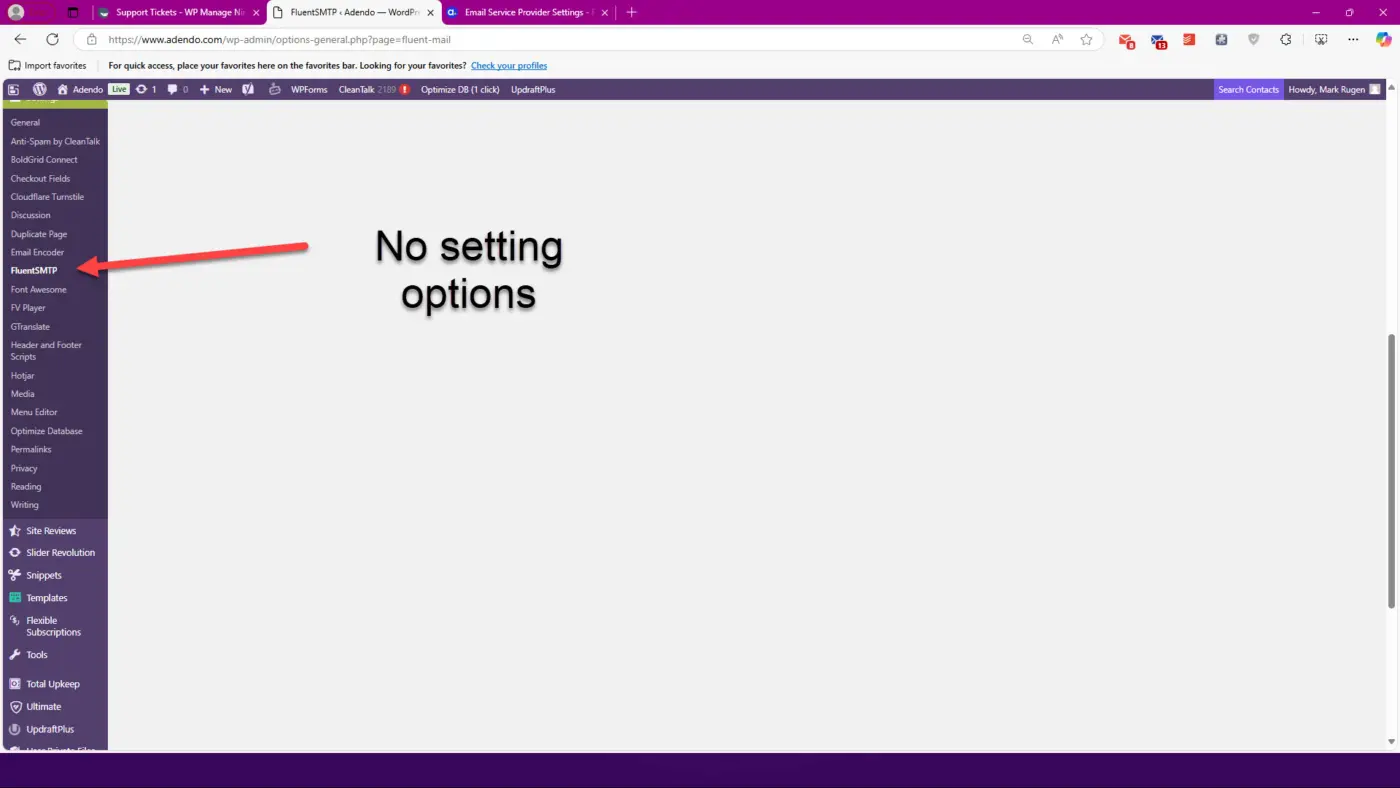

Mark Rugen what status do you see for the FluentSMTP plugin in /wp-admin/plugins?
Activete or Deactivate? Or the plugin is not installed at all LOL (no offence)?

Go to the settings section in your WordPress admin; it should appear there. I hope this helps!

Activated, but when I choose settings, I get the blank page.
Also tried, deactivating, deleting and redownload and installing. Same result.
Mark Rugen do you see any error in the Browser > Dev Tools F12 > Network tab when refreshing the FluentSMTP plugin settings page?
/wp-admin/options-general.php?page=fluent-mail#
Mark Rugen do you filter urls in .htaccess (custom code) or with any WAF or Security plugin?
Do you Block REST APi?
Mat I do not
Mark Rugen and there are no Errors in Dev Tools right?
Mat I do not see any
Mark Rugen it might be related to Chicago weather then haha joking.. one sec..
Mat Wait,,,hmmmm
Mark Rugen let me think a bit.. Provisional Headers shouldnt be any issue and the .css was loaded I think..
Mark Rugen try to use a different browser for a second and incognito mode (without browser extensions: blockers) + clear the cache if doesn't help then it might be a conflict with other plugin (its hard to tell)
I hope this will help you Mark Rugen ark:
-
Ensure the plugin is up to date:
- Go to the Plugins section in your WordPress admin panel.
- Make sure the Fluent SMTP plugin is updated to the latest version.
-
Clear your browser cache:
- Sometimes, browsers store outdated versions of CSS or JS files. Clear your cache and try again.
-
Deactivate and reactivate the plugin:
- Go to Plugins > Installed Plugins, deactivate the Fluent SMTP plugin, and then reactivate it.
-
Check file permissions:
- Ensure the problematic file (
fluent-mail-admin.css) has the correct permissions. Files should ideally have644permissions, and folders should have755.
- Ensure the problematic file (
-
Reinstall the plugin:
- If the previous steps don’t work, uninstall the plugin and reinstall it from the official repository or the ZIP file.
-
Disable conflicting plugins:
- There might be a conflict with another plugin. Temporarily disable other plugins to see if the issue persists.
-
Enable debug mode:
-
Turn on WordPress debug mode for more details:
-
Edit the
wp-config.phpfile and setWP_DEBUGtotrue:define('WP_DEBUG', true); -
Check the
debug.logfile in thewp-contentfolder for additional information.
-
-
-
Check the browser console:
- Use your browser’s console (as shown in the screenshot) to identify specific errors related to the
fluent-mail-admin.cssfile.
- Use your browser’s console (as shown in the screenshot) to identify specific errors related to the
If the issue persists after trying these steps, it might be a server-related problem.