Feedback on FluentCommunity beta.
Amazing Work! Some minor suggestions...
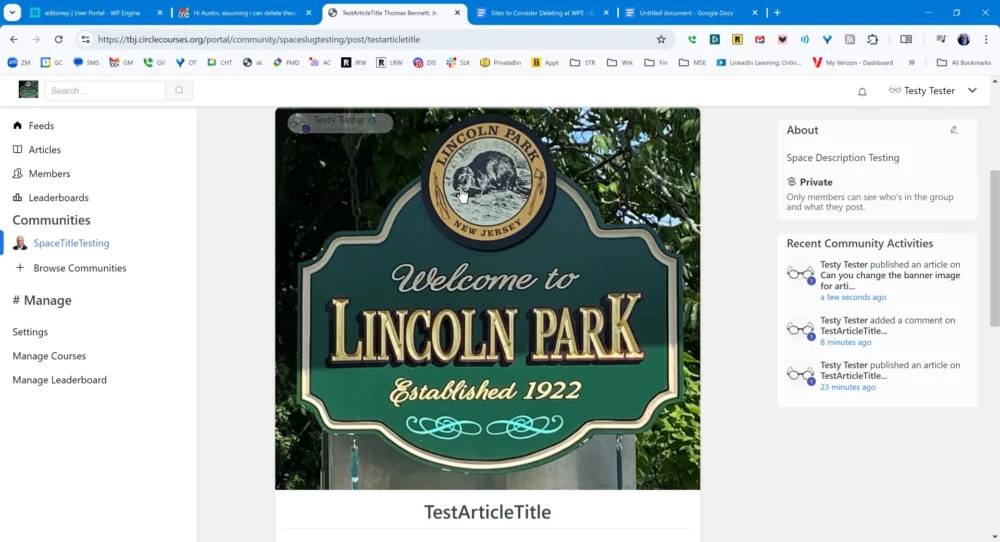
1. When viewing an article (see image), the author button is somewhat visible on a dark background but the function to edit an article by clicking three-dot menu on the right is not visible. (You may want it this way. Up to you.) You have to know where it is and that it is there to use it.
No images are attached for these suggestions:
1. When editing an article and adding a banner image above the article, it lets me browse the media library (no adding from URL). But after adding that banner image, I cannot delete it and go back to having no banner. I can only change it.
2. When editing an article, the button to change the banner image is in the center of the image and when it appears as grey text on a dark image, it's nearly invisible. Hovering over the "Change" button, it then shows up with a white background but you have to know it's there and where it is to do that.
3. When editing the body of an article, I can use the + to insert a standard WordPress image block. That block states "Upload an image file, pick one from your media library, or add one with a URL." but underneath that text there is only "Insert from URL" there is no pick or upload functionality. This could be good or bad but it is inconsistent with the explanatory text.
4. When editing the FluentCommunity "General Settings" it has a field for a logo. Although it is not marked as required, if you skip it and do not enter a logo but fill out the other fields, then your work on the text fields will be wiped out when you save. You will receive an error "The logo format is invalid." You have to add an image to save the settings. Since graphics are sometimes not available at first setup, you might provide a "placeholder logo" checkbox if you must have an image there.
Just a quick test. Again, I love the simplicity and speed of this. I will post more later if I can.