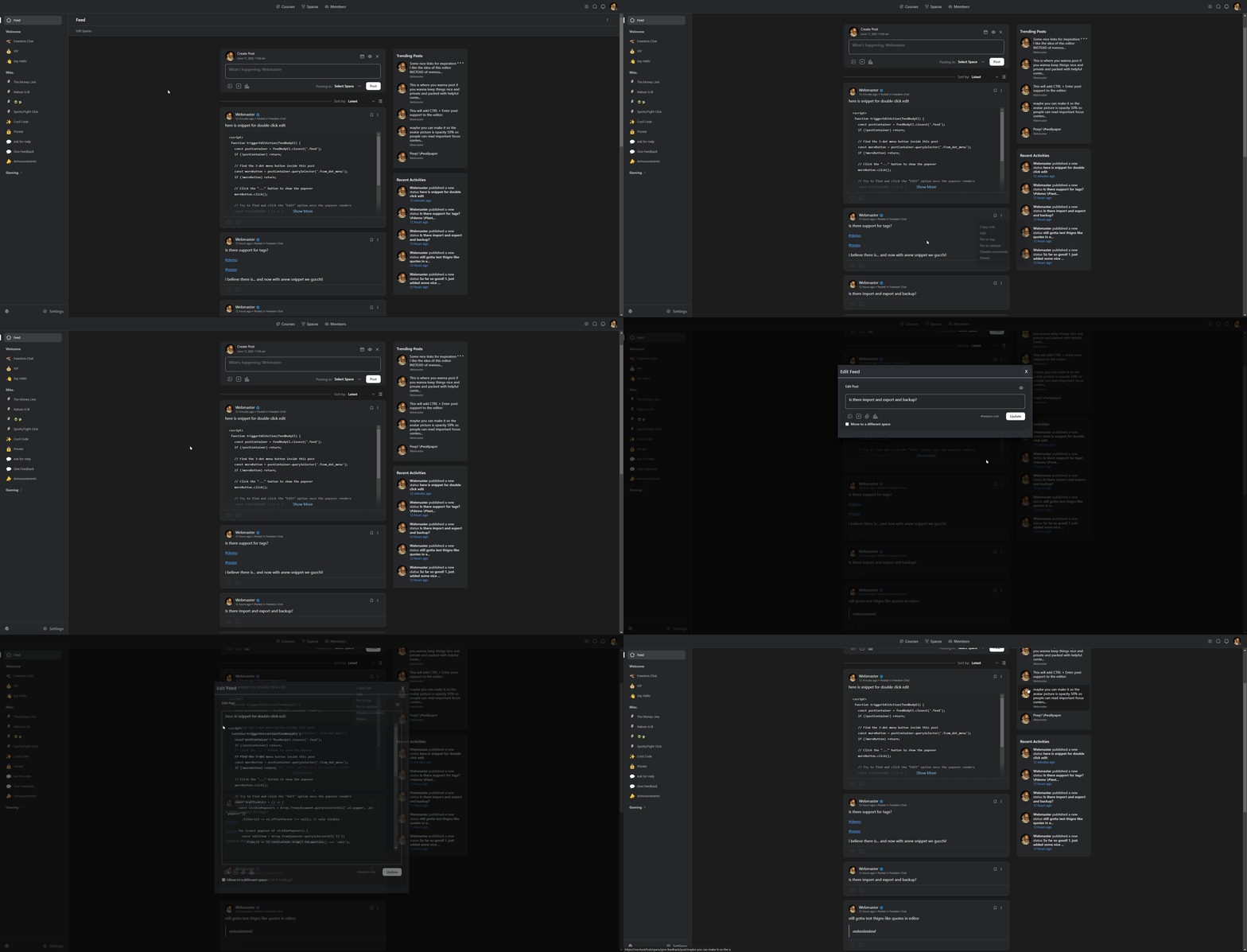
Double Click on feed body to Edit
Double-click on the text content of any post (.feed_body) to edit a post with this custom javascript snippet:
<script>
  function triggerEditAction(feedBodyEl) {
    const postContainer = feedBodyEl.closest('.feed');
    if (!postContainer) return;

    // Find the 3-dot menu button inside this post
    const moreButton = postContainer.querySelector('.fcom_dot_menu');
    if (!moreButton) return;

    // Click the "..." button to show the popover
    moreButton.click();

    // Try to find and click the "Edit" option once the popover renders
    const tryClickEdit = () => {
      const visiblePopovers = Array.from(document.querySelectorAll('.el-popper, .el-popover'))
        .filter(el => el.offsetParent !== null); // only visible

      for (const popover of visiblePopovers) {
        const editItem = Array.from(popover.querySelectorAll('li'))
          .find(li => li.textContent.trim().toLowerCase() === 'edit');

        if (editItem) {
          editItem.click();
          return true;
        }
      }
      return false;
    };

    // Retry a few times in case Vue takes a moment
    let attempts = 0;
    const interval = setInterval(() => {
      if (tryClickEdit() || attempts > 10) {
        clearInterval(interval);
      }
      attempts++;
    }, 100);
  }

  function setupDoubleClickToEdit() {
    document.body.addEventListener('dblclick', function (e) {
      const feedBody = e.target.closest('.feed_body');
      if (feedBody) {
        triggerEditAction(feedBody);
      }
    });
  }

  window.addEventListener('load', () => {
    setupDoubleClickToEdit();
  });
</script>
I hope this helps!
p.s. - here it is in action — https://i.1776.cloud/files/rXjU.gif