

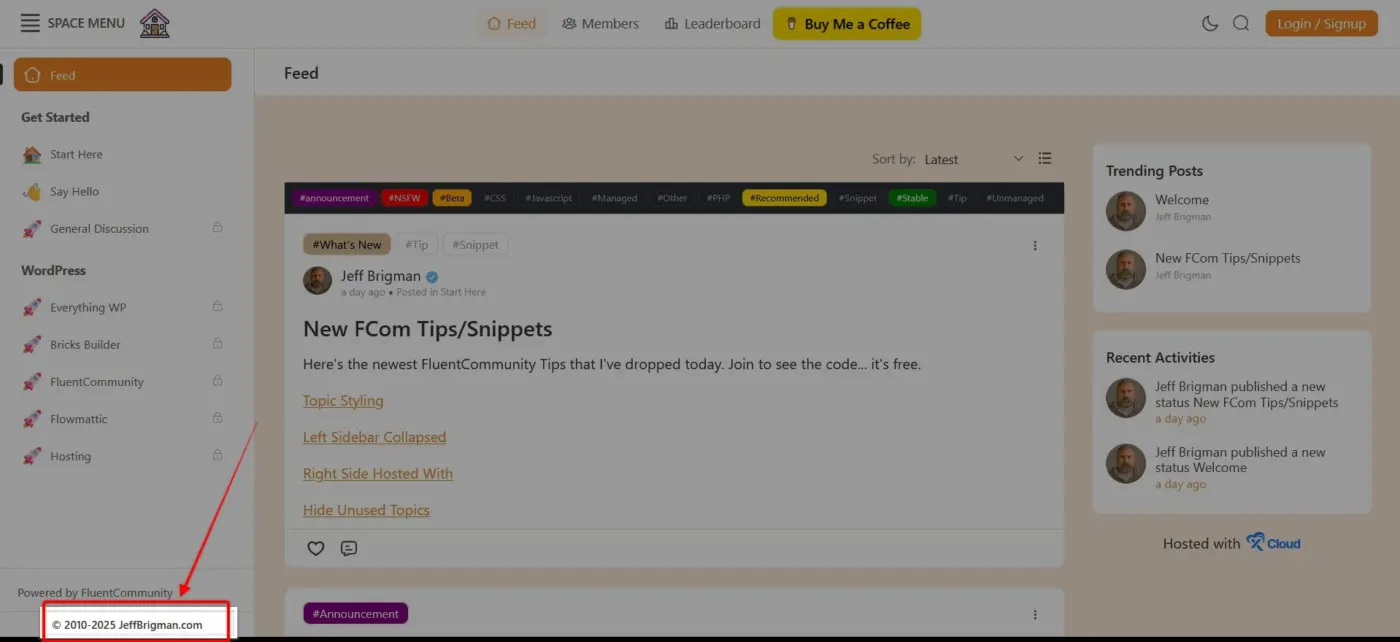
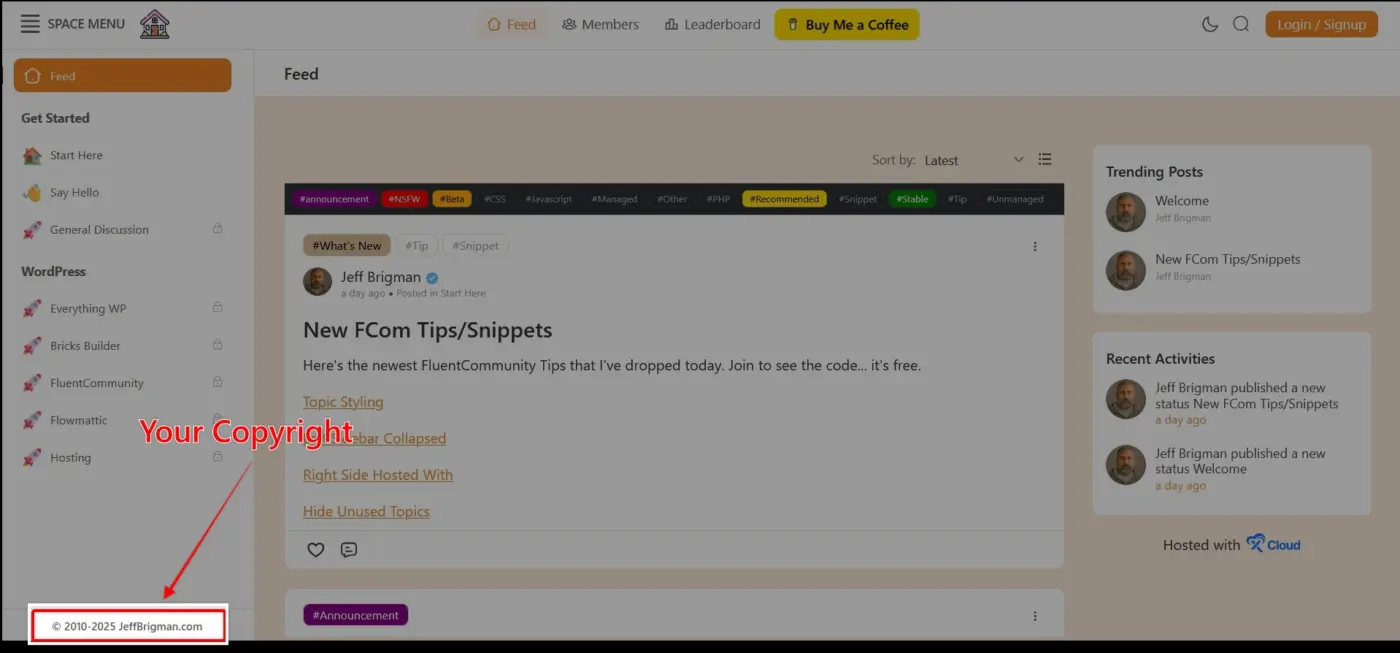
Copyright under "Powered by FCom"
PHP snippet that allows you to add a copyright (or other text) under the Powered by FluentCommunity tag. I purposely did not tie into their link because you can disable it (maybe pro only version) and because some folks will use it for affiliate linking.
The snippet contains CSS so you can adjust the styling to suit your needs. Here's a link to the code: https://jeffbrigman.com/community/space/fluent-community/post/copyright-under-powered-by-fcom

Looks like your Community is Private. Please only share public URLs.

Shahjahan Jewel the community is public, that space is private. The purpose is to get folks to join if they want the code, otherwise there's no point in doing a community or me even sharing my work.
It's also no different than what several other folks are doing as well like Ross FCA.

// Footer FluentCommunity
add_action('fluent_community/after_portal_sidebar', function () {
    ?>
    <script>
    document.querySelector('.fcom_inline_icon_link_item').href = 'https://jobblog.ru/about';
    document.querySelector('.fcom_inline_icon_link_item').textContent = '© 2025 Jobblog – ООО «Джобблог»';
    </script>
    <?php
});
I will also share some code on this topic so as not to duplicate posts.
*Corrected a typo and added a demonstrative screenshot.
**The WP Ninja team helped me with this code.
p.s.
If you log in as an administrator, you will see a Customize button in the footer, which will most likely be too small for the text you specify for the footer. However, it will display correctly for regular users.

Kevin Watson, thank you for noticing! After reposting and transferring from one editor to another, the text changed. I have now corrected it.
Artur Abakarov I will include that one in my post, but unfortunately it overwrites the link to Wordpress Admin when you are logged in as an admin and the "Powered by FluentCommunity" which is why I sought an alternative solution.
Jeff Brigman; I understand, I was also searching, but ultimately settled on this solution, as the minor inconvenience was acceptable for my role as an administrator.
Artur Abakarov tweaked that one a little further so it dynamically places current year for you. I'm all about automatically populating things if I can so I'm not having to constantly worry about updating little things like this.
<?php
// Footer FluentCommunity
add_action('fluent_community/after_portal_sidebar', function () {

    // Generate dynamic year in PHP
    $year = date('Y');
    ?>
    <script>
        document.addEventListener("DOMContentLoaded", function () {
            const link = document.querySelector('.fcom_inline_icon_link_item');
            if (link) {
                link.href = 'https://jeffbrigman.com';
                link.textContent = '© 2010-<?php echo $year; ?> JeffBrigman.com';
            }
        });
    </script>
    <?php
});Jeff Brigman That's a great option!