


Cookie Check failed issue - Public setting the community
Hi, I am currently trying to set my community as public view (people can see it even though they aren't logged in) because of SEO benefit. However, I frequently see this page and my other members also report the error.
I know that the solution is refresh the server, but it happens again (like 2-3 time in a day). This is not acceptable for me to operate the community as public.
What is the ideal method to setup the community which prevent this cookie check failed issue all the time? My community url is as follows:
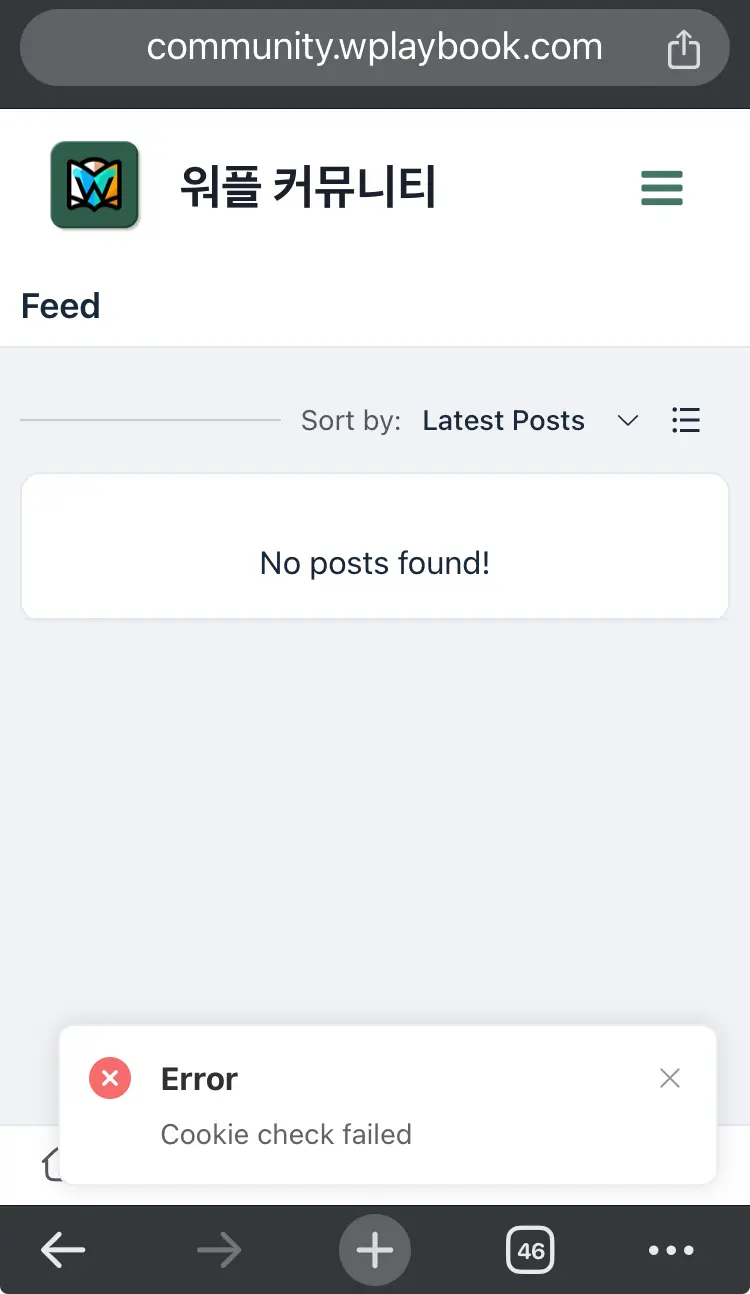

SAK LEE try to change your cache settings
- FROM: Cache-Control: public , max- age=0, s-maxage=2592000
- TO (old trick): Cache-Control: must-revalidate no-cache, max-age=0
and see if it helps.
Note: If you are not using any CDN/plugin you can use the below entry in your .htaccess but remember it might has impact on your all website - use it wisely and for testing purpose first:
# DISABLE CACHING
<IfModule mod_headers.c>
    Header set Cache-Control "no-cache, no-store, must-revalidate"
    Header set Pragma "no-cache"
    Header set Expires 0
</IfModule>

<FilesMatch ".(css|htm|html|js|txt)$">
    <IfModule mod_expires.c>
        ExpiresActive Off
    </IfModule>
    <IfModule mod_headers.c>
        FileETag None
        Header unset ETag
        Header unset Pragma
        Header unset Cache-Control
        Header unset Last-Modified
        Header set Pragma "no-cache"
        Header set Cache-Control "max-age=0, no-cache, no-store, must-revalidate"
        Header set Expires "Thu, 1 Jan 1970 00:00:00 GMT"
    </IfModule>
</FilesMatch>
I'm getting the same error messages. I'm using CloudFlare for my CDN. So where do I change a setting in there? Or even just flip a switch? Thanks!