

Commenting as someone else
Has anyone else had a problem like this?
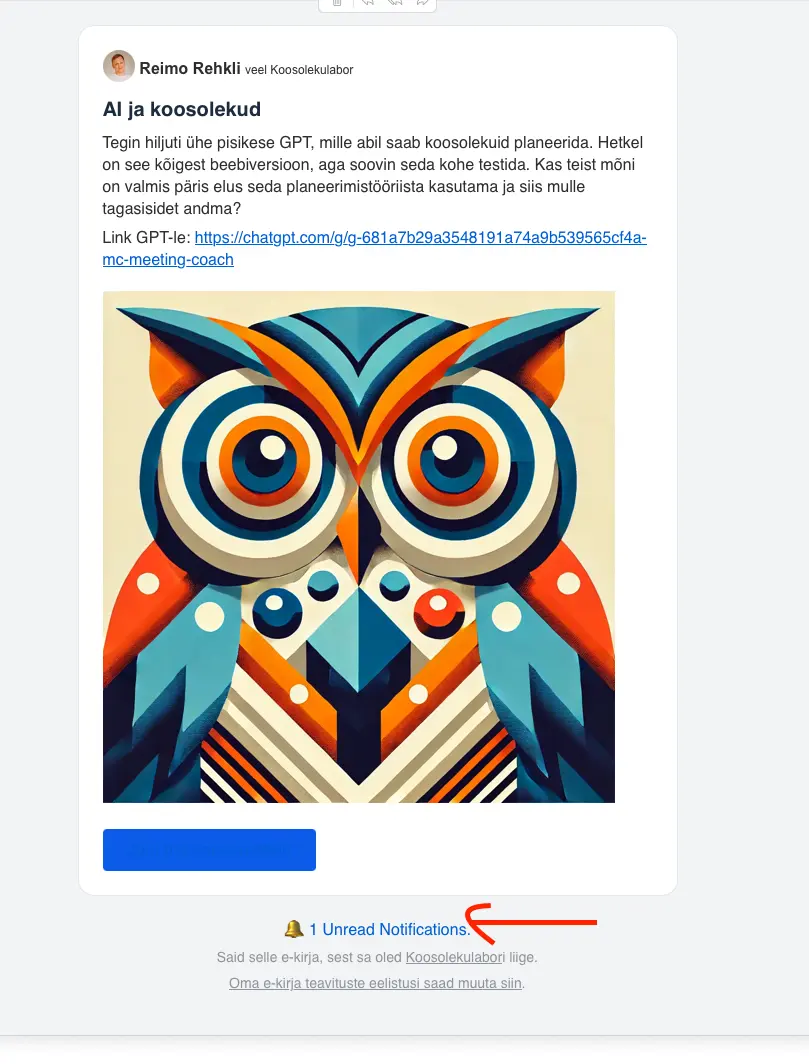
- I did a post on the space and send the notification as email to all members.
- Member received an e-mail and clicked on the message link "1 Unread Notifications"
- A member is suddenly signed in as another person and comment shows up by other members profile.

Paul Hopkins I had such a problem, and then she commented, it was another account name that showed up as commenter.

I suggest to disable the MagicLink feature (users needs to login with their credentials) until this will be verified by Ninjas
Mat where is this option to disable?
Reimo Rehkli check the Privacy Settings:
domain.com/portal/settings/privacy-settings
Mat thank you, i turned it off, i will ask the member to test it again, hopefully it solves now
Reimo Rehkli I think the hyperlink for the Notification text in the email footer was including the MagicLink url generated for another user therfore once that link was clicked the user could access the other user account automatically.
Lets wait until the team will investigate it.
ps. I hope nobody received your MagicLink and nobody could/can become you (WP Admin or Community Admin) - that email notification hyperlink shouldnt affect WP Admin account (User with Edit Role in /wp-admin/users) in this case but lets wait for the RCA.
Just be carefull with using any kind of MagicaLinks for the WP Admin user (better not use it) and use dedicated non Admin account (if possible) or fCommunity Admin account only for the fCommunity to avoid surprises.

We are investigating the issue and we just released a hotfix version of the core free version (1.6.11). Please update to the latest version of core.

This is REALLY bad!