

Bunny.net Video Thumbnails
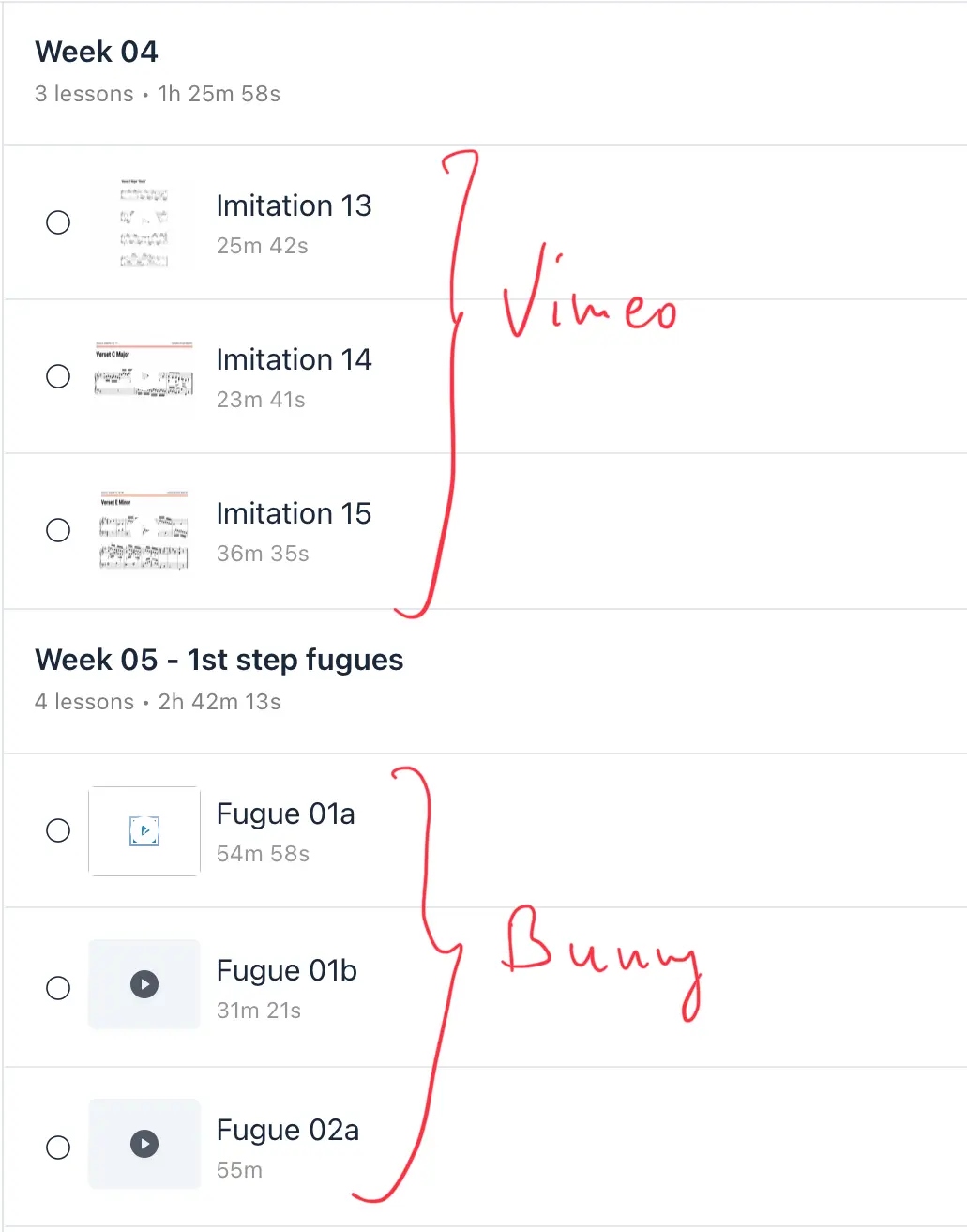
Hello, does anyone know why the thumbnails for Bunny.net videos aren’t showing up in my lessons? I’ve used Vimeo and everything works perfectly there, but when I use Bunny videos as embedded videos, the thumbnails don’t appear. Does anyone know why? Thank you very much for your help.

Shahjahan Jewel same goes for me with bunny stream

Do you use any cache?
If Bunny.net embed video thumbnails are not populating, it's likely due to either a configuration issue with the embed code or a problem with Bunny.net's settings related to access or caching. You might need to adjust allowed domains, disable certain security settings, or ensure proper caching behavior.
Here's a breakdown of potential causes and solutions:
*Access Issues:
Allowed Domains:
If you've enabled "Block Direct URL File Access" in Bunny.net, you must add your domain to the "Allowed Domains" list for previews and thumbnails to work. Otherwise, you'll encounter 403 errors.
Security Settings:
Some security settings like RedViewTokenAuthentication or CDNTokenAuthentication in Bunny.net can interfere with embedding. Disabling them might be necessary.
*Thumbnail Generation/Caching:
Thumbnail Sheet Size:
Bunny.net generates thumbnail sheets, and the size can vary based on the video's aspect ratio (e.g., 16:9 vs. 4:3). Ensure your application handles these differences correctly, especially when passing data to thumbnail generation functions.
Caching:
Bunny.net doesn't automatically monitor for changes on your origin server. If a file is already cached, it will remain cached until the cache expires or the file is deleted. If you've recently updated a video or its thumbnail, you might need to clear the cache or wait for it to expire.
*Embed Code:
Direct URL Access:
If using the video URL directly in an embed code, verify that the URL is correct and that the video is accessible. You can copy the video URL directly from Bunny.net's storage zone.
Embed Code:
When using the embed code provided by Bunny.net, ensure it's correctly pasted into your platform (e.g., OptimizePress, LearnPress).
Troubleshooting Steps:
Check Bunny.net Settings:
Review your Bunny.net Stream settings for your library and video, specifically focusing on:
- Allowed Domains (if applicable)
Security settings (RedViewTokenAuthentication, CDNTokenAuthentication)
Cache settings
Verify Embed Code:
Double-check the embed code and video URL for accuracy.
Clear Cache:
If you've made changes, clear the cache in your browser and potentially on Bunny.net's CDN.
Test with Different Players/Platforms:
Try embedding the video into different players or platforms to see if the issue is specific to your current setup.

Mat Yes, I do, LiteCache
Szymon Jakubowski try to disable that plugin just for a troubleshooting or clear your cache out or exclude some URLs
To exclude specific URLs from being cached by the LiteSpeed Cache plugin in WordPress, you need to add them to the "Do Not Cache URIs" list within the plugin's settings. This ensures that certain pages or content, like dynamic areas or pages with personalized content, are not cached and served from the cache, maintaining their dynamic behavior.
Here's how to do it:
- Navigate to the Excludes settings: In your WordPress dashboard, go to LiteSpeed Cache > Cache > Excludes.
- Add the URLs: Find the "Do Not Cache URIs" section and enter the specific URLs you want to exclude, one per line.
- Save changes: Make sure to save your settings to apply the exclusion rules.
Important considerations:
Default exclusions:
The LiteSpeed Cache plugin automatically excludes certain pages like WooCommerce My Account, Checkout, and Cart pages, so you might not need to add them manually.
Partial URLs:
You can exclude entire sections of your site by adding partial URLs or paths.
Thank you 🙏