


I have several calendars, and there's one specific calendar that only my assistant uses. She uses it for when she processes payments. Because it works this way, I don't have a way to automatically record each purchase she makes and collects payment for, either manually or in person, in Fluent Cart. I'd like to be able to automatically create and complete an order every time an appointment is scheduled on that specific calendar. I tried doing this with Fluent CRM, but it wasn't possible. If this is already possible, I'd like to know how. Even if it's not possible, it's a good suggestion, so I can have a Fluent Cart that truly reflects all income, not just online purchases but also in-person sales, and that's done automatically.

I loathe MemberPress registration forms. You have to have the Scale plan ($1000/yr) in order to do anything that is functional. The actual MemberPress form itself stinks.
I would like to use FluentForms (paid) and FluentCRM (free or could buy pro) to establish MemberPress memberships. It that the way to go? I have FluentCart (paid) too.
I really don't know the best, fastest way to integrate any of this for my scenario and I would appreciate some ninja advice. I have a website launch soon and am running into issues trying to make it happen with just MemberPress.
UPDATE: Or maybe I am looking at this wrong. Maybe I don't need MemberPress. Can I create membership access to certain parts of my site with FluentForms and Fluent CRM (paid)? If someone has done this before, I may need to contract someone for 1-3 hours to teach me.

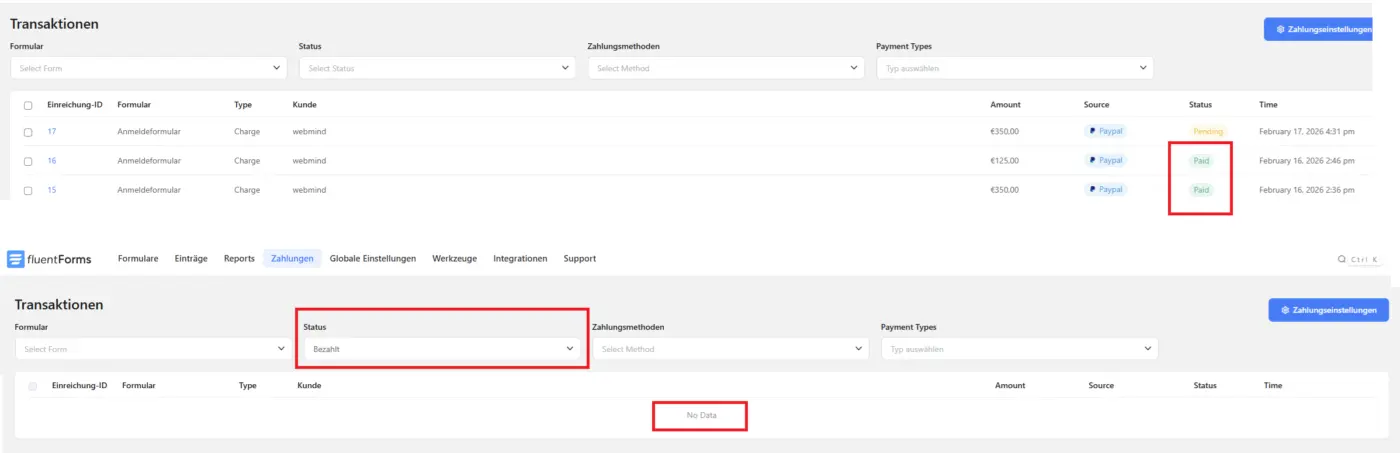
- Open Transaction page
- List of transaction showing with diffenrent Status
- Use filter (example) Paid only
- No results found
Maybe related to language settings. Please fix this because customer ist using this view to check his transactions.
Update: Its a language dependend issue. If I change wordpress backend language to Englisch Filters are working.
Can you please fix this.
Thanks!

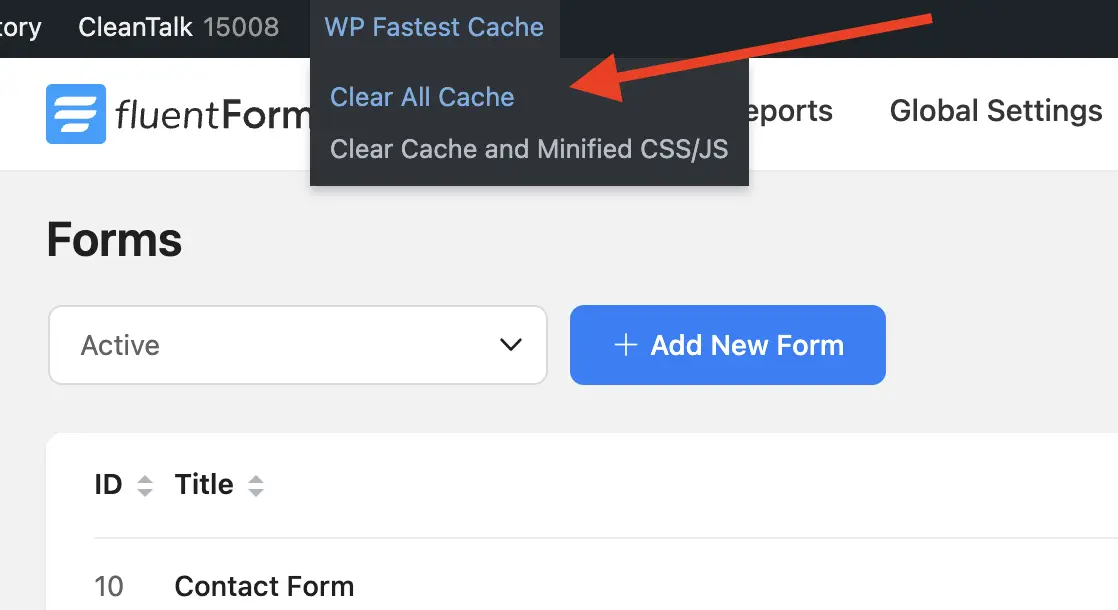
Hi guys, I love Fluent Form.I have a small, but quite annoying bug ages ago related to Fluent Forms.
Please check the attached screenshot.
When I'm on the Fluent Form tab, I can't click on the admin bar's plugin menus.
But looks like it's happening only with WP Fastest Cache.
Basically nothing happens when I click on it. I should be a z-index issue.
It works in every other admin menu, but in Fluent Forms.
Thank you.

Would anyone find it useful where the user can sort the order of multiple items? Example: a form for favorite foods, where the user could click, drag, and place a list of foods in order from favorite to least favorite. I think it would be pretty cool for surveys and the like.
Duplicate of this post but, in the right spot for better visiblity.

Is it not possible for the AI feature to build a scored personality quiz (or really, any type of quiz)? I tried prompting it and did not get score grading or a quiz module.

I am looking for a multi-step form where the user adds their email address and get to the second step only after confirming the email address. It is similar to a double opt-in but before submitting the form.
I want this:
- Form asks for email address in the first step
- User enters email, clicks next
- Form sends confirmation email (double opt-in)
- User confirms and gets to step two of the form
- User can fill out all other forms and steps as usual and finally clicks submit
- Form is then stored
Is that somehow possible with FluentForms?

Hi guys,
Does anyone know how to create a subscription in Fluent Forms (Pro) where the start date is custom / user-defined?
Here’s what I’m trying to achieve:
I’m building a website for a mosque, and for Ramadan 2026 they want to let donors set up recurring donations that run for:
- the full month (30 days), or
- the last 10 days, or
- a custom date range within Ramadan.
I’ve seen the Scheduling option in the form settings. For now, my workaround is to create 2–3 separate forms (one per donation period) and set a fixed start date for each form.
But ideally, donors should be able to choose their own option inside a single form (full month / last 10 days / custom range), and the subscription should automatically start and stop based on that selection.
Any ideas on how to do this with Fluent Forms (or via an integration/workaround)?

Hello,
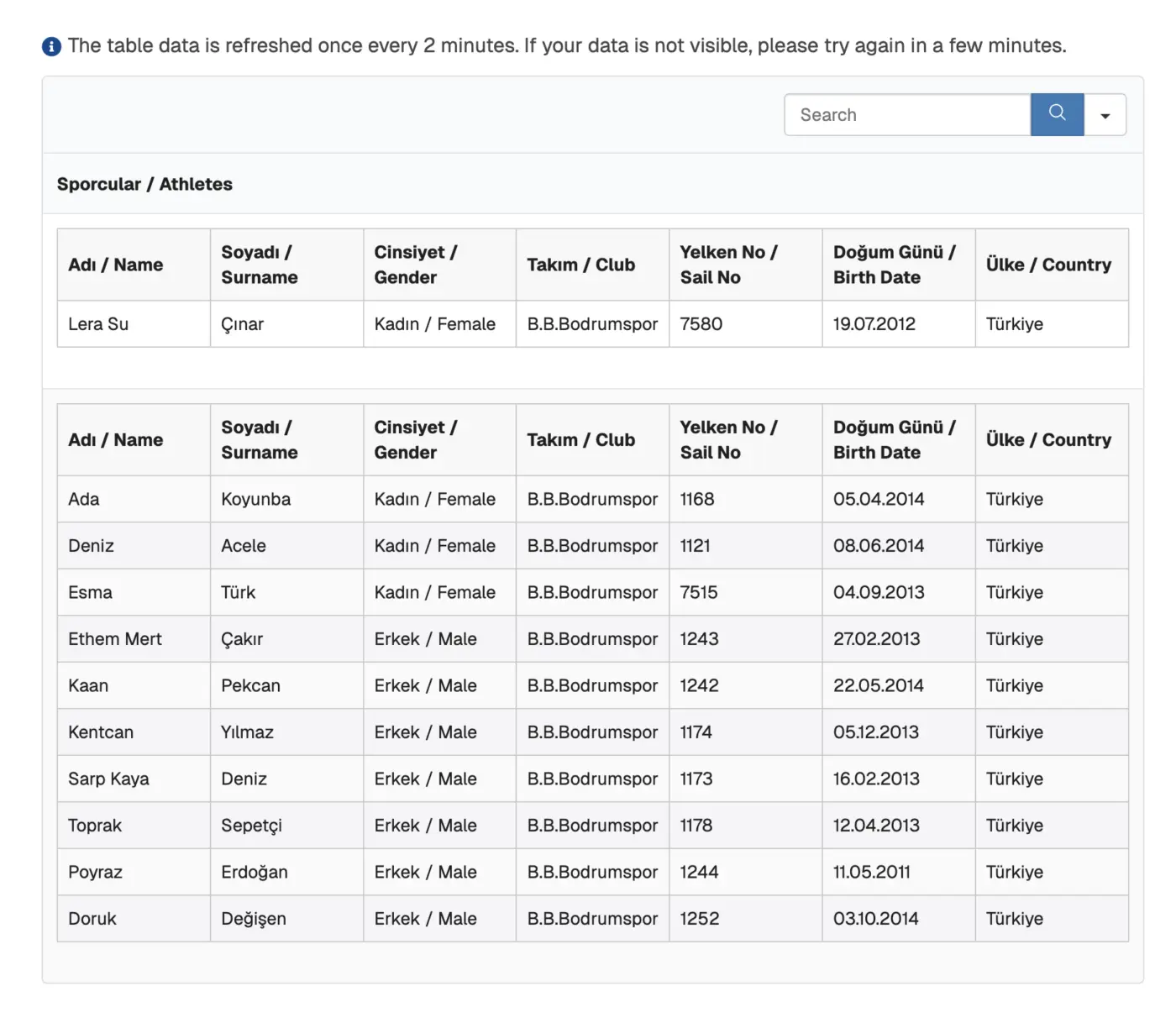
I'm collecting user data with Fluent Forms and show them WP Ninja Tables.
In this specific form, I need to use container repeater feature. But it shows the table header for every submission. Is there a way to hide table titles for every submission? I couldn't find it. Thank you for your replies.
It would be great to be able to interact with an AI agent ask questions regarding user data to go deeper with contextual answers rather than just filtered data. Maybe some smart tokens for 'conversation starters' and common questions... either predefined or user defined.